Using a component with Views
Drupal Views is both:
- a query builder: fetch content from the database, with filters, sorts and grouping.
- a display builder: present the results as lists, galleries, tables, maps, graphs, reports...
You need to activate ui_patterns_views sub-module.
View style plugin
To build the display around the results:
- the table and not the rows
- the slider and not the slides
- the map and not the points of interest
- the mosaic and not the pictures
Steps
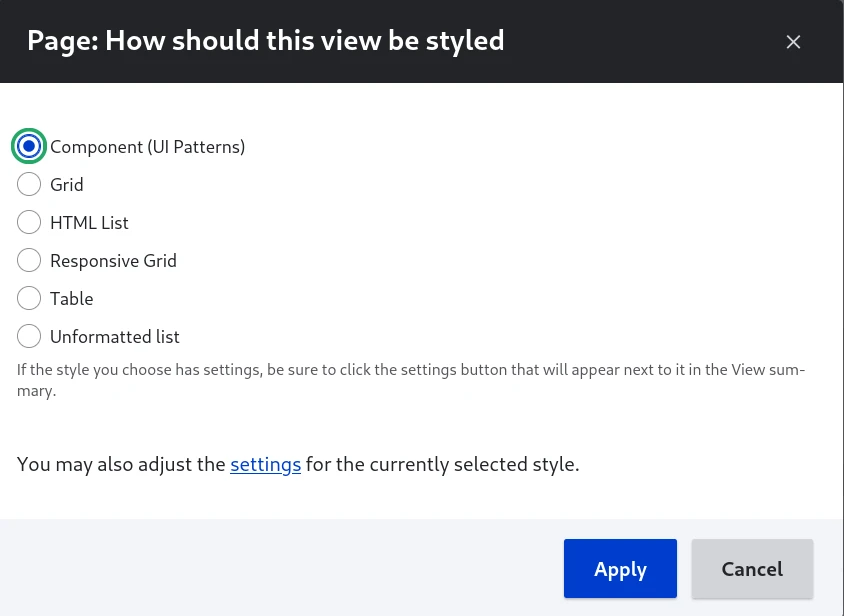
Pick "Component" in the modal:
Select the component and fill the configuration form:
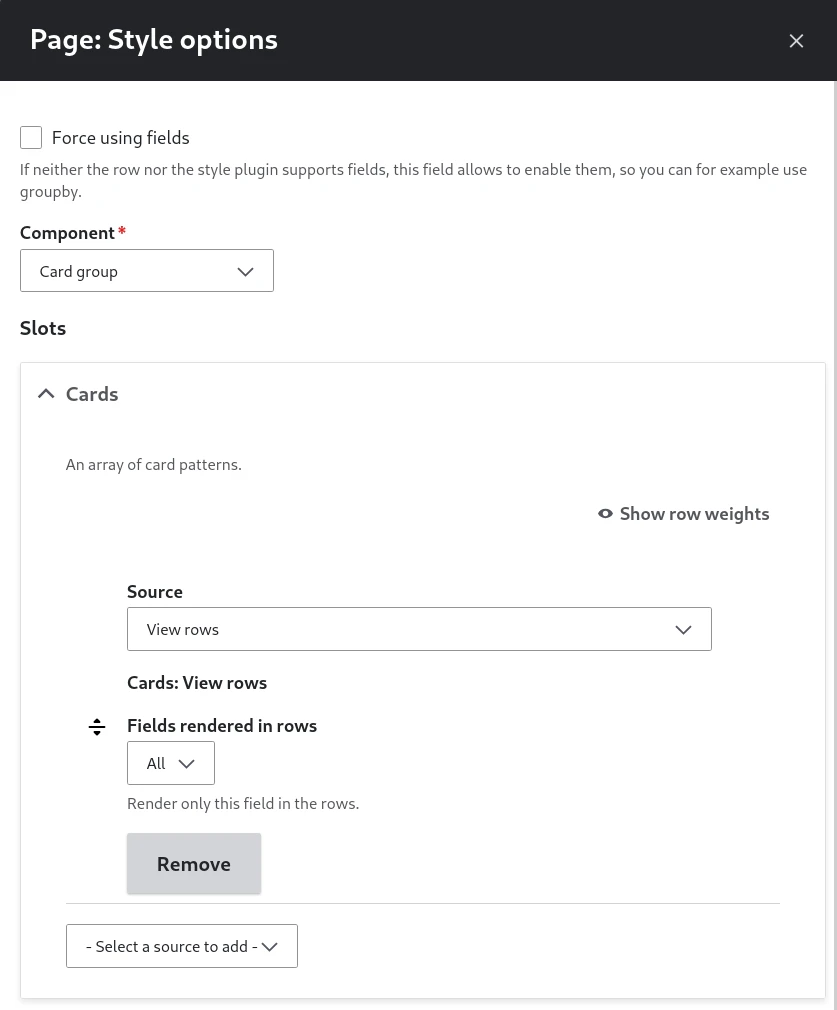
Contextual data sources
| Context | Source | Prop type |
|---|---|---|
| View | View title | String |
| View | View rows | Slot |
View row plugin
To build the display of each result:
- the rows instead of the table
- the sliders instead of the slides
- the point of interests instead of the map
- the pictures instead of the mosaic
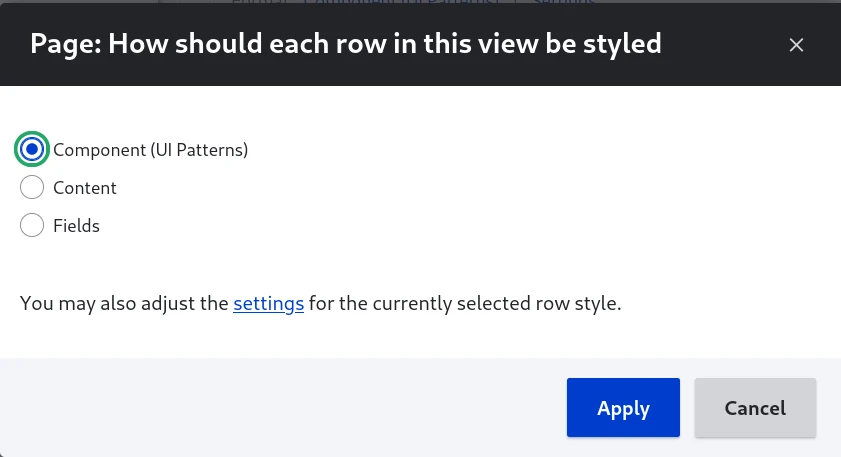
Pick "Component" in the modal:
Select the component and fill the configuration form:
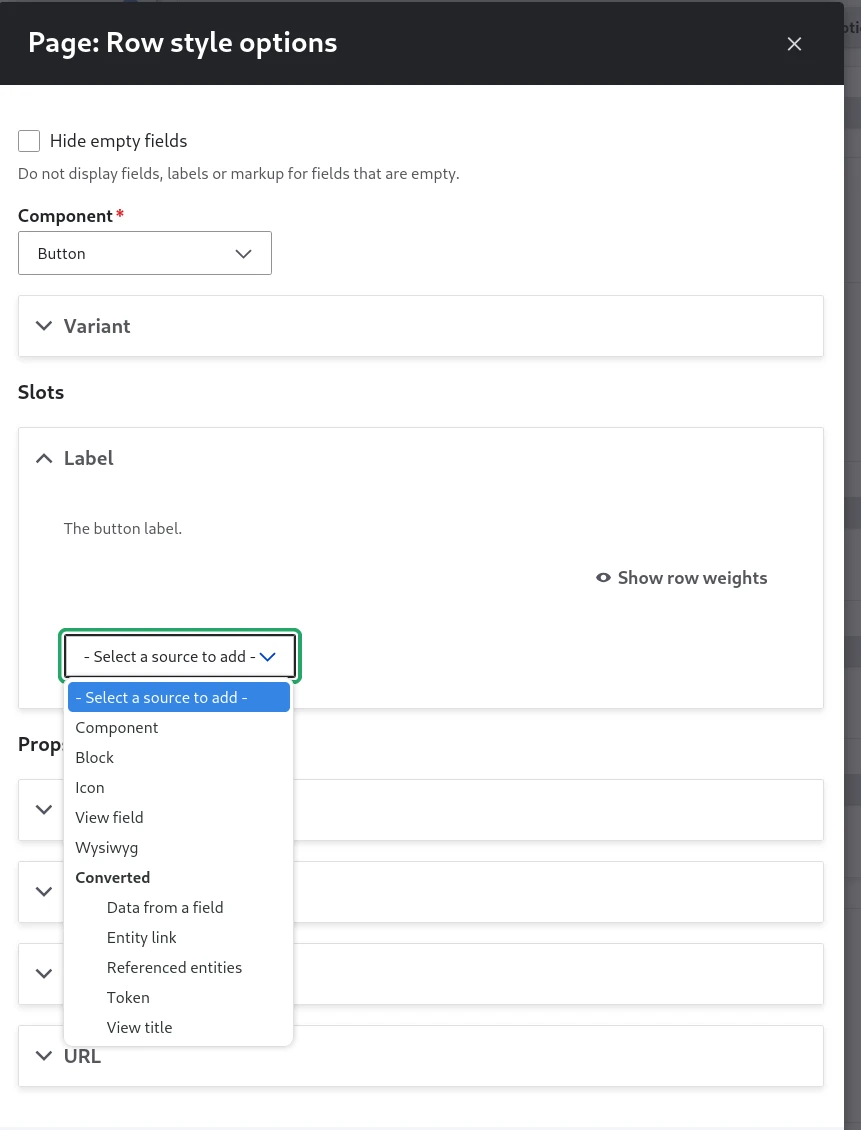
Contextual data sources
| Context | Source | Prop type |
|---|---|---|
| View row | View title | String |
| View row | View field | Slot |
| Content entity | [Entity] ➜ [Field] | |
| Content entity | [Entity] Link | URL |
| Content entity | [Entity] ➜ Referenced [Entity] |
View display
To assemble a whole view display from its parts, the way views-view.html.twig does: title, header, exposed form, attachments, rows, empty area, pager, more link, footer, feed icons.
Steps
In the Advanced column of a display, "Component" opens the component form. The component replaces the whole output of the display, wrapper included; the view keeps its own configuration for every part the sources read. Pick "- None -" to render the display as usual. Like the format or the pager, the choice is made for all displays or overridden for one.
The "Component (UI Patterns)" display extender is enabled when the module is installed. It can be switched off, or on again, in the advanced views settings.
Other modules and your own code inject the same context as:
ui_patterns_views:view: a running view executable, orui_patterns_views:view_entityandui_patterns_views:display: the view entity and the display ID. The sources execute the view themselves.
Contextual data sources
| Context | Source | Prop type |
|---|---|---|
| View display | [View] Title | String |
| View display | [View] Header | Slot |
| View display | [View] Exposed form | Slot |
| View display | [View] Attachment before | Slot |
| View display | [View] Rows | Slot |
| View display | [View] Empty | Slot |
| View display | [View] Pager | Slot |
| View display | [View] Attachment after | Slot |
| View display | [View] More | Slot |
| View display | [View] Footer | Slot |
| View display | [View] Feed icons | Slot |
From a render array
$build = [
  '#type' => 'component',
  '#component' => 'my_theme:view',
  '#ui_patterns' => [
    'props' => ['title' => ['source_id' => 'view_title']],
    'slots' => [
      'header' => ['sources' => [['source_id' => 'view_header']]],
      'rows' => ['sources' => [['source_id' => 'view_rows']]],
      'pager' => ['sources' => [['source_id' => 'view_pager']]],
    ],
  ],
  '#source_contexts' => [
    'ui_patterns_views:view' => new Context(new ContextDefinition('any'), $view),
  ],
];