Usage
Both forms work the same way: enter the text, choose the matching options, select fields, search, then replace after a confirmation step.
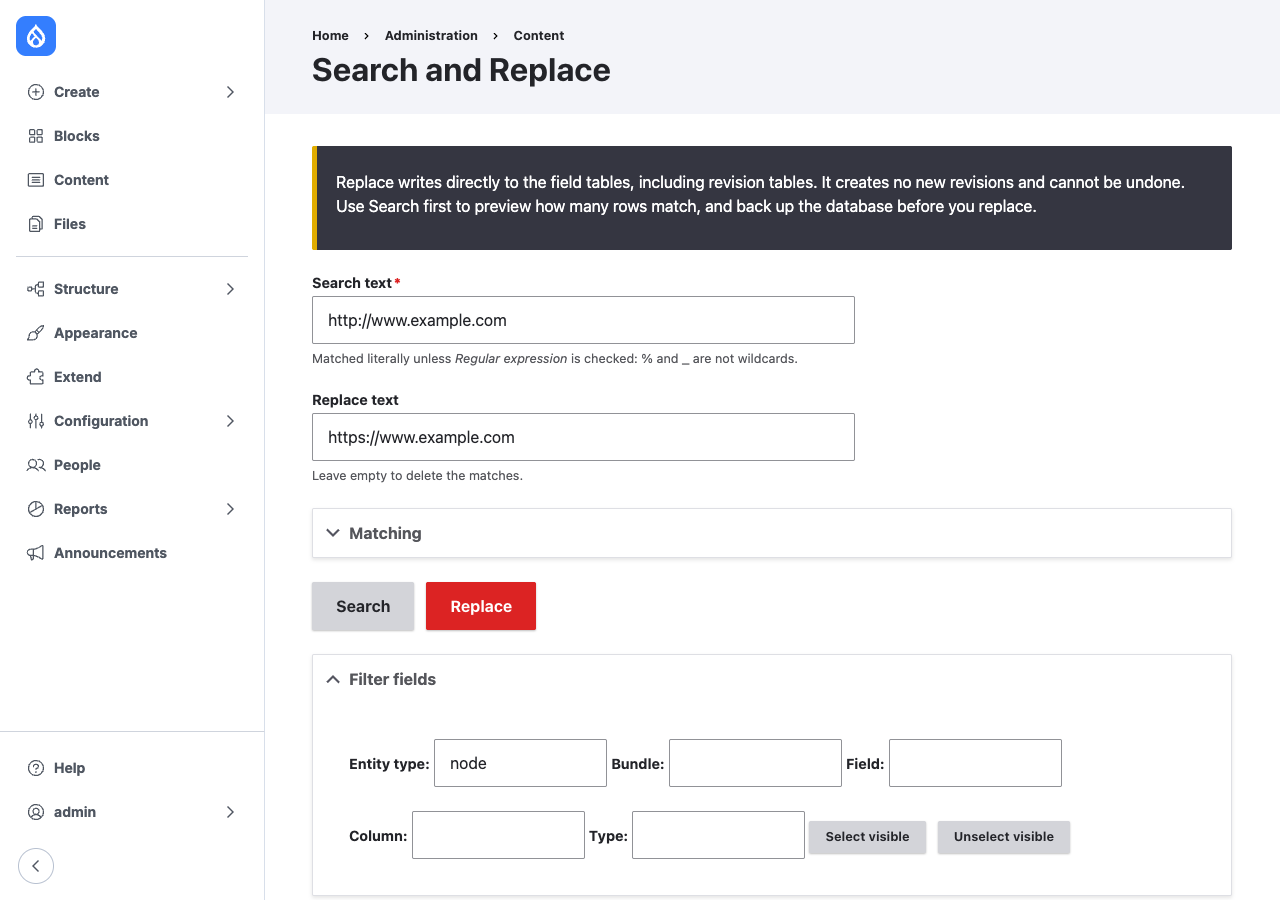
Search
- Go to Administration » Content » Search and Replace
(
/admin/content/snr), or Safe Search and Replace (/admin/content/snr/safe). - Enter the Search text. It is matched literally:
%and_match themselves. - Enter the Replace text. Leave it empty to delete the matches.
- Optionally open Matching and change the options (see below).
- Select fields in the table. Type in the filter fields to narrow the table, then click Select visible or Unselect visible.
- Click Search.
Search changes nothing. The results table lists, per target, how many rows (Search and Replace) or entities (Safe Search and Replace) contain a match. The form keeps the search text, replace text, options and selection, so Replace can follow without entering them again. The values are kept per user until the next search or replace.
Matching options
| Option | Default | Effect |
|---|---|---|
| Match case | On | Off: Example also matches example and EXAMPLE, Unicode letters included. |
| Whole words only | Off | The match must not touch a letter, number or underscore on either side: cat matches in a cat. but not in cats or concat. |
| Regular expression | Off | The search text is a PCRE pattern without delimiters, such as https?://old\.example\.com/(\w+). The replace text can refer to groups as $1. A pattern that does not compile, or that matches an empty string, is rejected. |
With the defaults, Search and Replace counts and replaces in SQL. With any
option changed, it reads the rows a page at a time, matches them in PHP and
updates each changed row by its primary key. Values PHP cannot process, such
as invalid UTF-8 or a pattern that exceeds PCRE's backtracking limit, are
left unchanged and counted in a warning in the snr log channel.
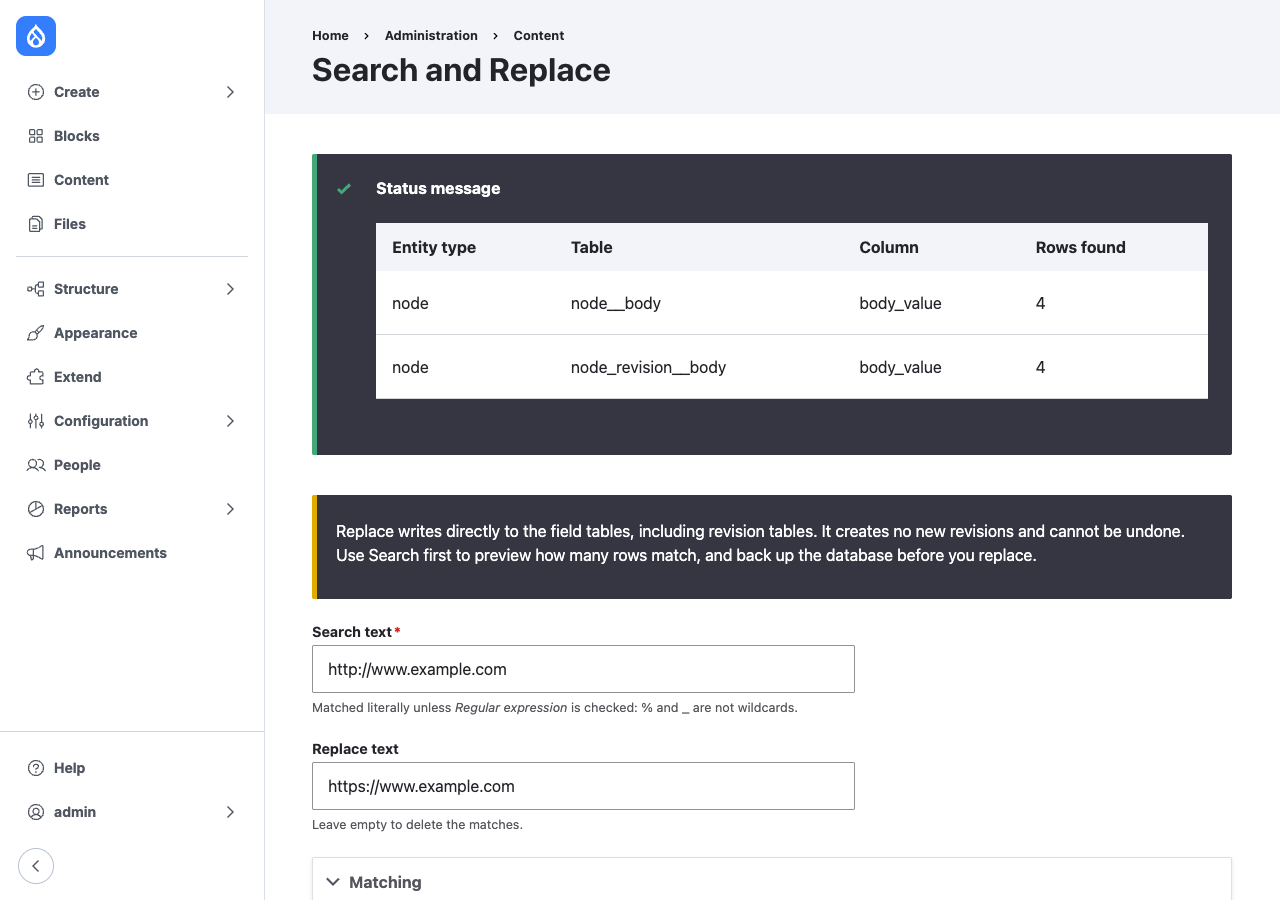
Search and Replace counts the current table and the revision table of each column separately, because it changes both.
Replace
- Enter the same text and selection, and click Replace.
- Check the list of targets and the warning.
- Check I have a current database backup and know how to restore it.
- Click Confirm replace, or Cancel to go back without changes.
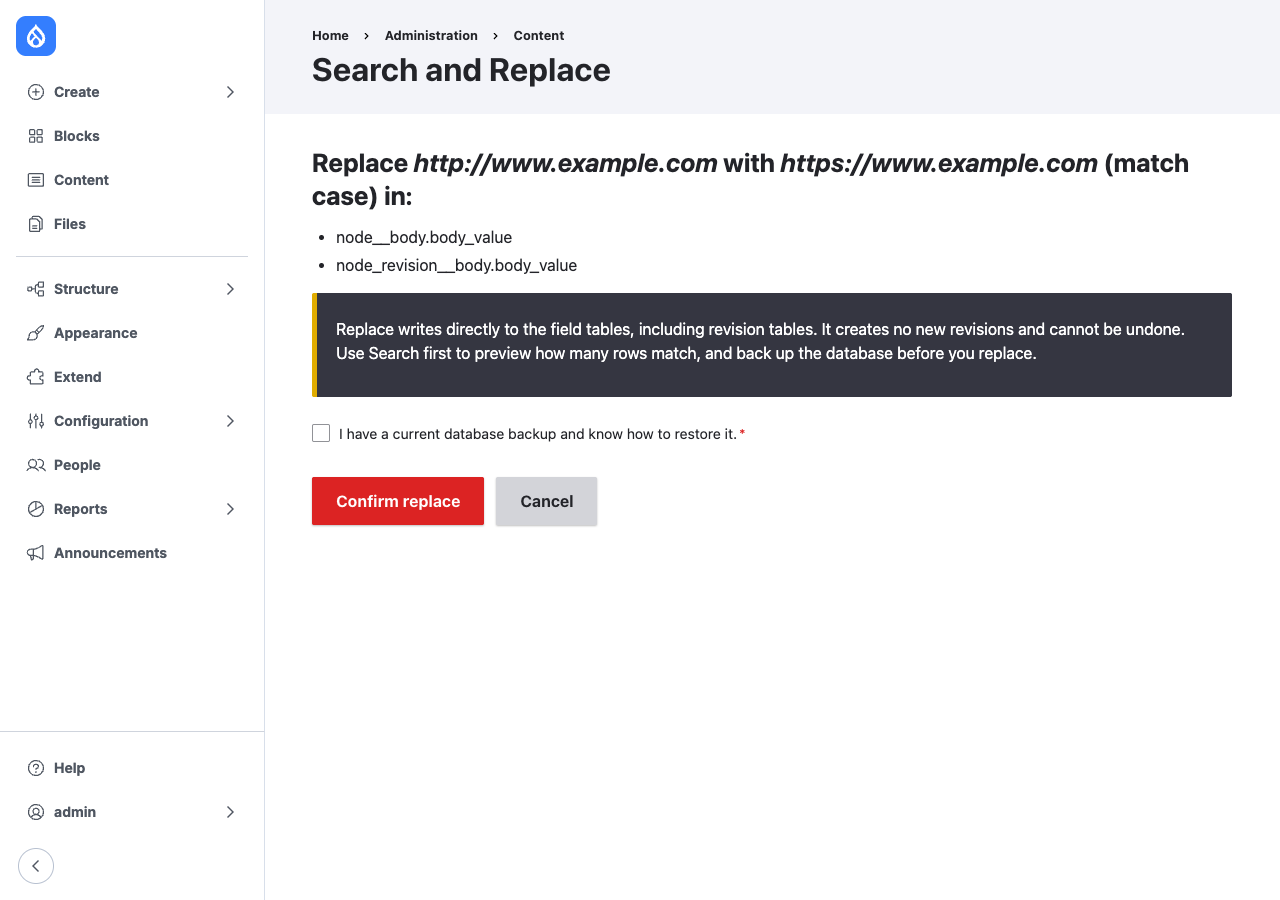
The replacement runs as a batch and ends with a table of results.
Search and Replace (snr)
For each selected column the module runs one SQL UPDATE with
REPLACE(column, search, replace) on the field's current table and, when the
field is revisionable, its revision table. The search and replace text are
bound as query arguments. Table and column names come from the entity field
schema, never from the request.
After each update the module clears the entity cache and the cache tags of
the changed entities, and logs a notice in the snr channel with the text,
table, column and row count.
It creates no revisions, does not check entity access, does not run entity
hooks (hook_entity_presave(), hook_entity_update()), and does not update
search indexes.
Safe Search and Replace (snr_safe)
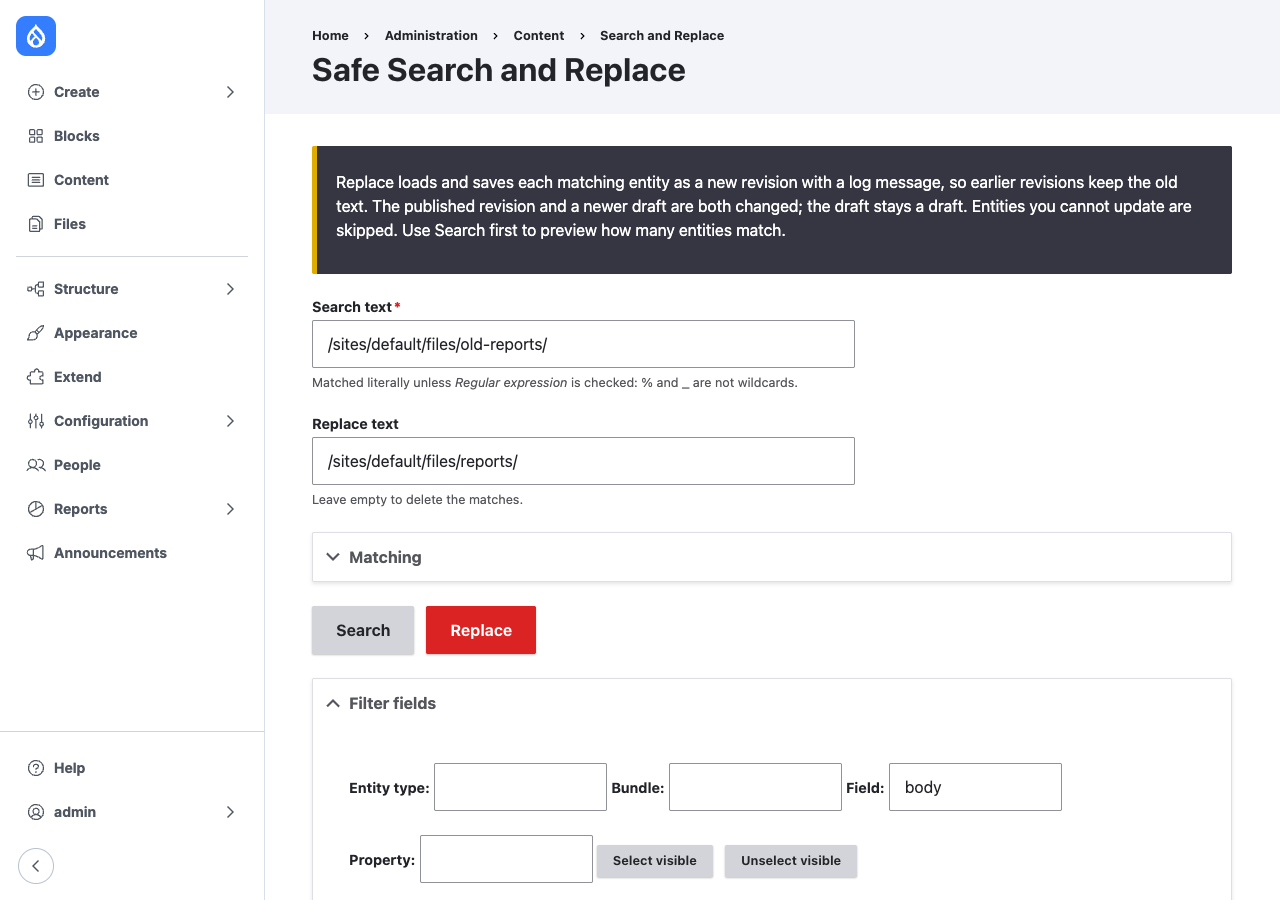
For each selected field the module runs access-checked entity queries for
entities whose default or latest revision may contain the text, then loads
them five at a time. In each entity it replaces the matches in every item of
the field and, for a translatable field, in every translation. If something
changed and the user may update the entity, it saves a new revision with the
log message Search and replace in FIELD: "SEARCH" with "REPLACE". and the
current user as revision author.
If the entity has a revision newer than its default revision, such as a Content Moderation draft, that revision is changed too. The default revision is saved first, then the draft, so the draft stays the latest revision and keeps its moderation state.
Entity hooks run as for any save, so search indexes, path aliases and other integrations update as usual.
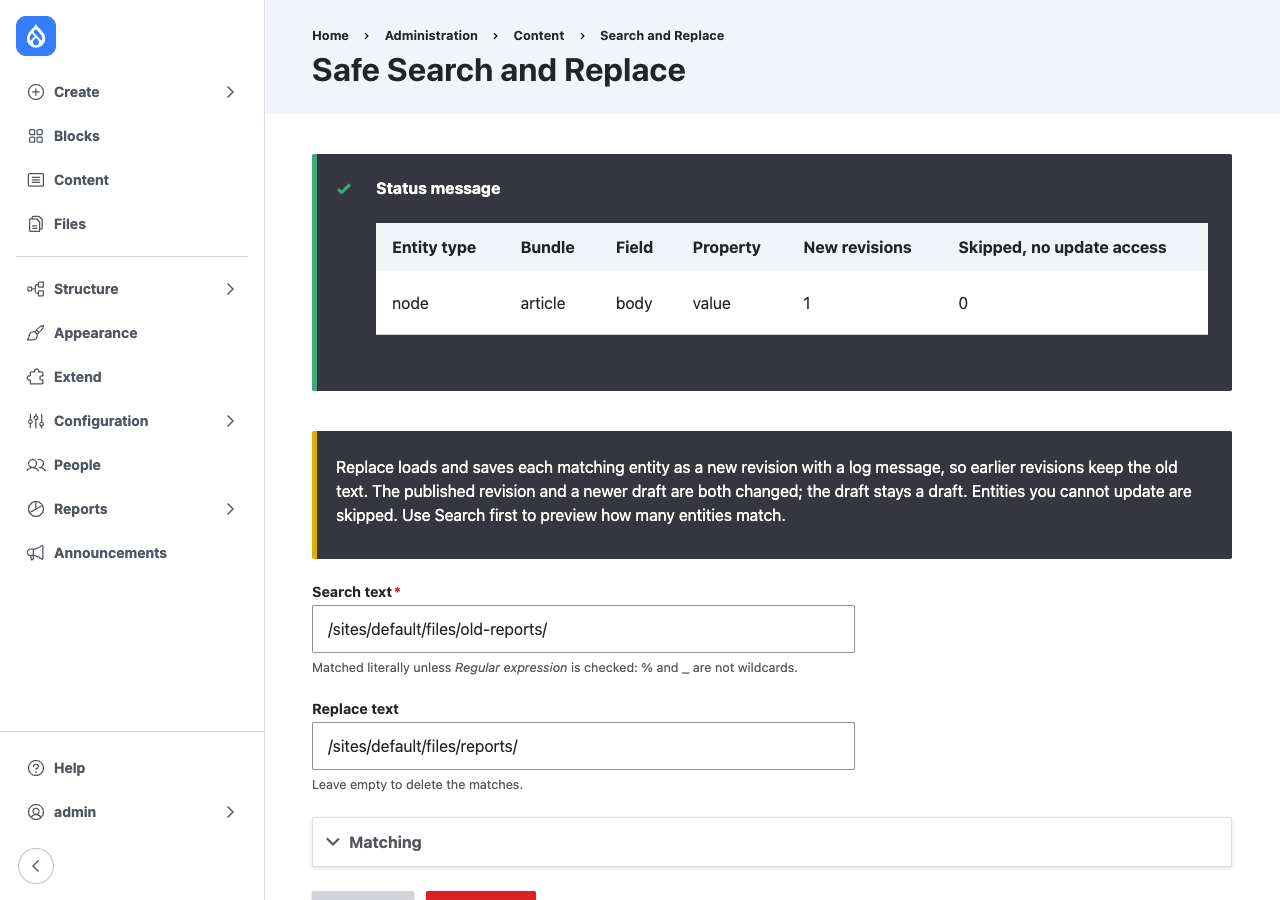
The results show New revisions and Skipped, no update access per field. An entity with a changed draft counts two new revisions.