Photo Metadata
Fields
The module ships seven fields for the image media type, in config/optional
so they are created only once an image media type exists (and, for keywords,
a tags vocabulary):
| Role | Field | Read from |
|---|---|---|
| coordinates | field_geo (geofield) |
EXIF GPS, converted to signed decimal degrees |
| captured | field_captured (datetime) |
EXIF DateTimeOriginal, then DateTimeDigitized, then IFD0 DateTime |
| camera | field_camera |
EXIF Model |
| caption | field_caption |
IPTC caption (2:120), then EXIF ImageDescription |
| credit | field_credit |
IPTC by-line (2:80), then EXIF Artist |
| keywords | field_keywords (terms) |
IPTC keywords (2:25) |
| focal_point | field_focal_point |
The Focal Point crop, as x,y percentages from the top-left |
To use fields a site already has, point a role at them in
photo_metadata.settings:
Set a role to '' and the module leaves it alone.
None of the fields is placed in a view display, and that is deliberate. A field added through the Field UI goes into the default view display, and the default view mode is often the one heroes and cards render media in. Metadata about a photograph should not appear under every picture on a site because a field was created, so a site that wants a credit line adds it to a display itself.
Nor are they placed in the media form. For editors to see and correct what was read, add the fields to Structure > Media types > Image > Manage form display. Geofield's Latitude/Longitude widget suits the coordinates.
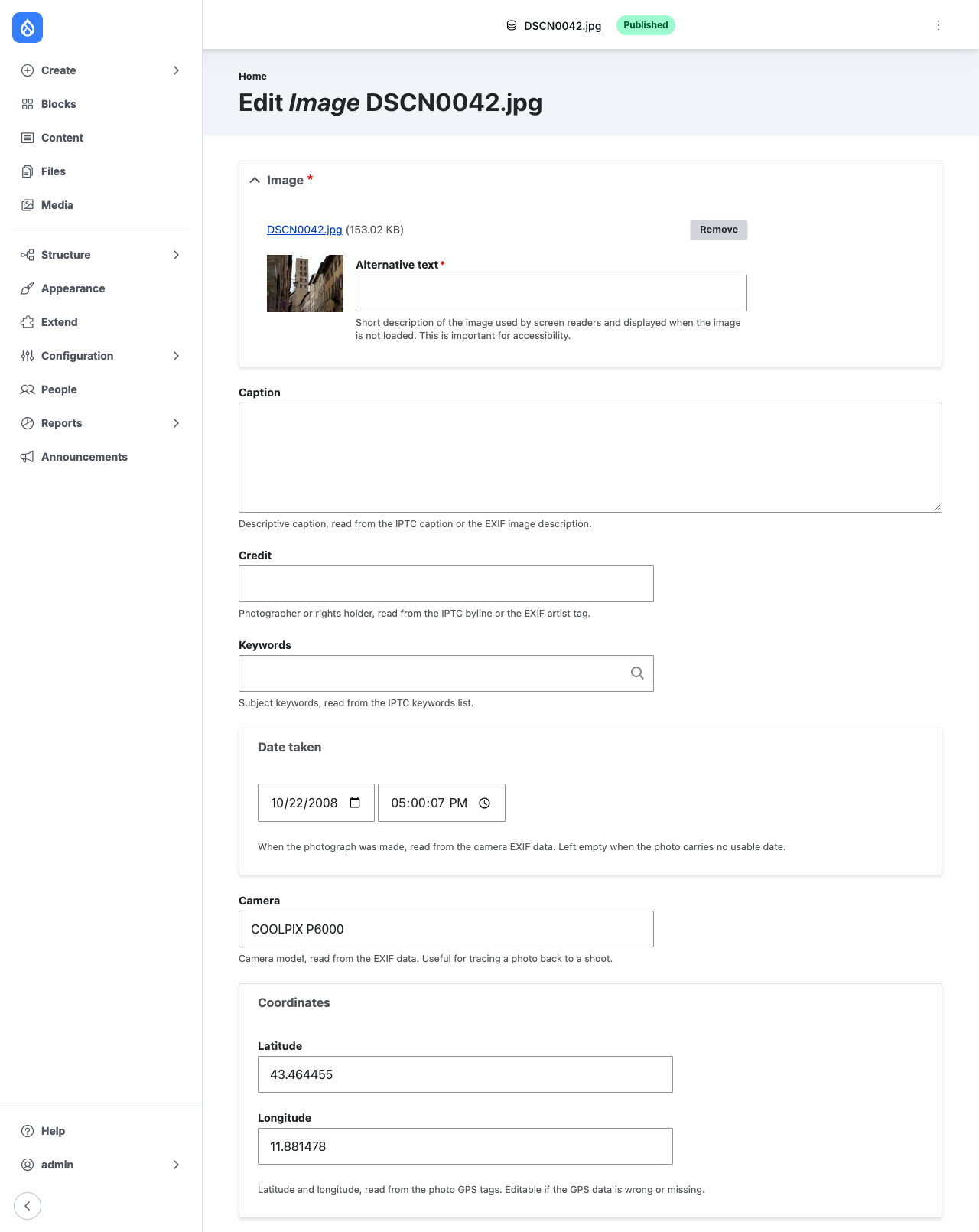
Uninstalling leaves the fields and their data. Captions and keywords are editorial content, and uninstalling a module is not a reason to delete them.
When files are read
On a media entity's first save, and whenever its file is replaced. An ordinary
edit does not read the file again: with object storage in front of public://
that would mean downloading the photograph on every save. Values are written
only into empty fields, so an editor's correction survives.
The focal point is copied on every save, and pushed to every media item showing a file whenever its crop changes, because the crop entity is what an editor edits.
Limits
- No XMP. PHP reads EXIF and IPTC, not XMP, and exiftool is not available on most hosts. Lightroom and Apple Photos write captions and keywords to XMP by default; copy them across to IPTC before importing.
- JPEG and TIFF only, for EXIF. PNG, WebP and HEIC carry nothing PHP can read.
- A zero GPS fix is discarded. Cameras that lose their fix write
0/0, which would otherwise put every such photograph in the Gulf of Guinea. - Capture times have no zone. EXIF records the camera's clock, which is stored as written.
Commands
# How much of the library carries usable metadata.
drush photo-metadata:coverage

# Read metadata into every photograph missing it.
drush photo-metadata:backfill

# Re-read every file, discarding hand corrections.
drush photo-metadata:backfill --overwrite
Migrations
The photo_metadata process plugin reads the same values during an import,
from a file ID, a stream wrapper URI or a local path:
process:
  field_geo:
    plugin: photo_metadata
    key: coordinates
    source: fid
  field_captured:
    plugin: photo_metadata
    key: captured
    source: fid
Keys are coordinates, captured, camera, caption, credit and
keywords; keywords come back as a list of strings for entity_generate.