Photo Metadata Picker
Choose Media library, with nearby photographs as the widget for a media reference field. Below the usual media library it lists photographs within a radius of the content being edited, nearest first, each with a "Use this photo" button that adds it through the media library's own selection, so cardinality, access and validation all still apply.
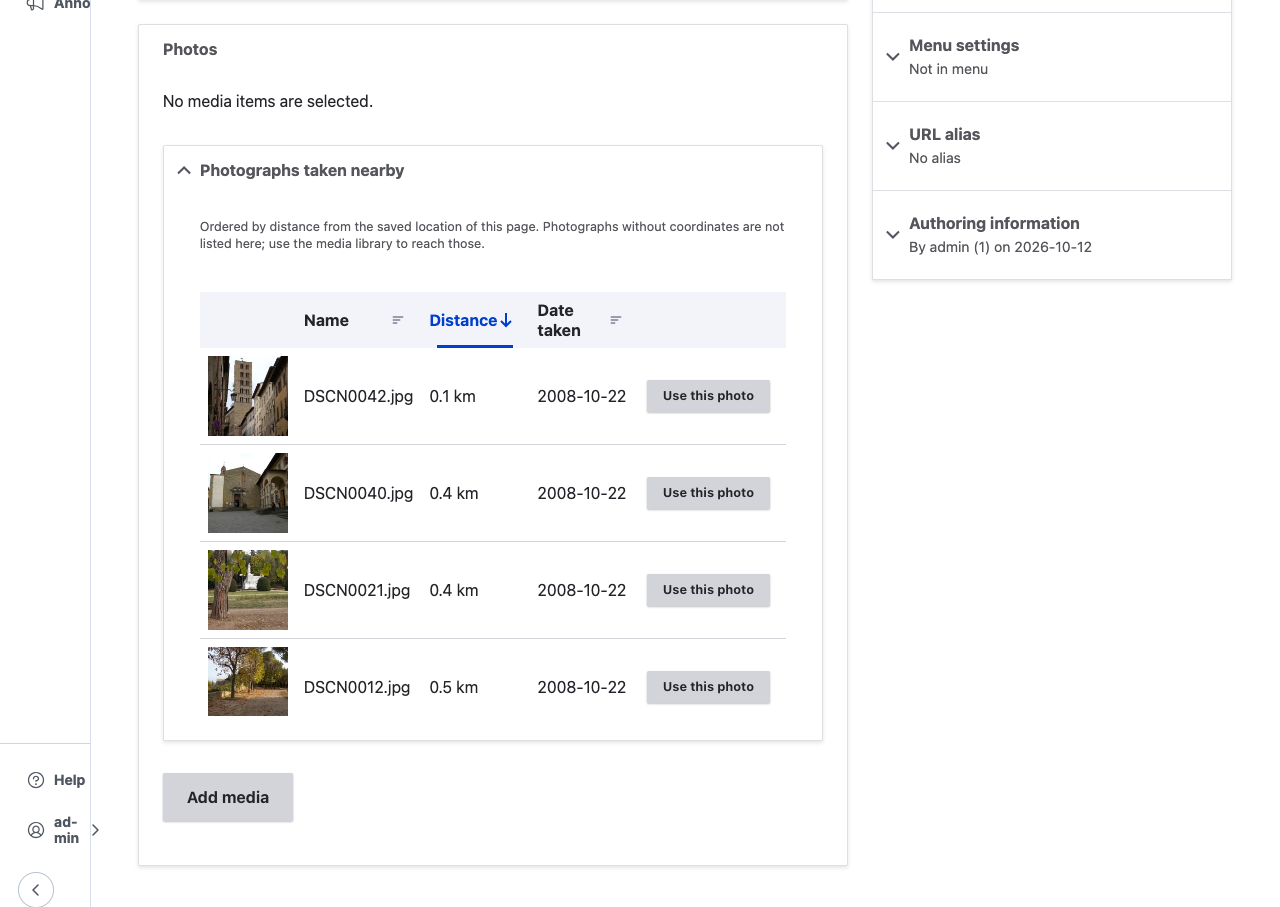
Where content is
Worked out by origin sources, asked in priority order:
| Priority | Source |
|---|---|
| 300 | A geofield on the entity being edited: the unsaved value in the form, then the saved one |
| 100 | A geofield on an entity it references (media references excluded) |
The editor is always told which source answered. Add a source for content that
is located some other way by implementing
Drupal\photo_metadata_picker\Origin\OriginSourceInterface and tagging the
service photo_metadata_origin with a priority.
Views
| View | Path | For |
|---|---|---|
| Photo library | /admin/content/media/photos |
Filter by name, keyword and whether a photo has coordinates; sort by date taken or credit. Its proximity display is what the widget embeds. |
| Photo map | /admin/content/media/map |
Where photographs were taken. Installed only with Leaflet Views. |
| Photo metadata gaps | /admin/content/media/photo-gaps |
Photographs missing coordinates, a date taken, a caption or keywords, as a worklist. |
The widget's view is a setting, so a site can point it at its own. All three views are removed when the module is uninstalled.
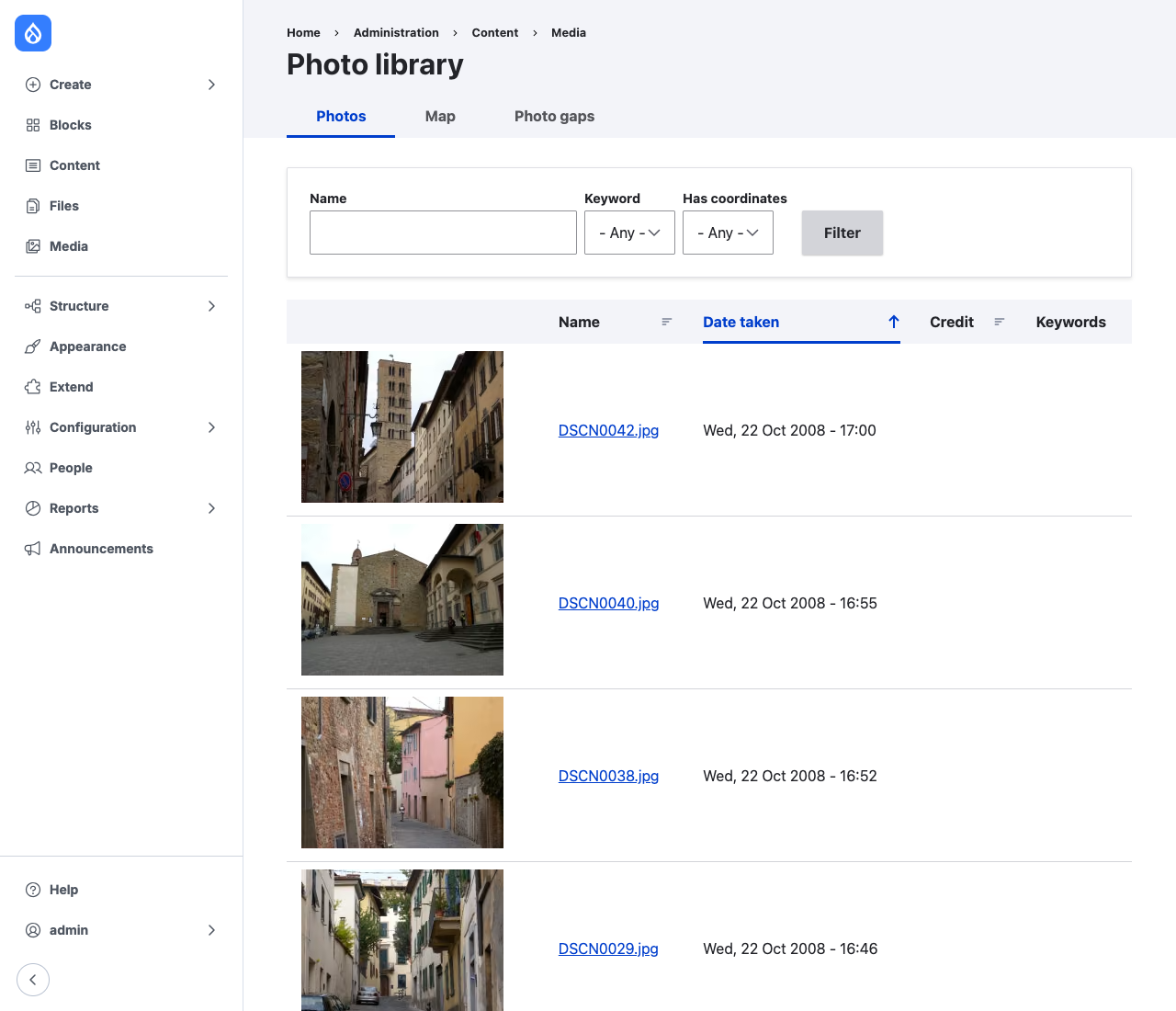
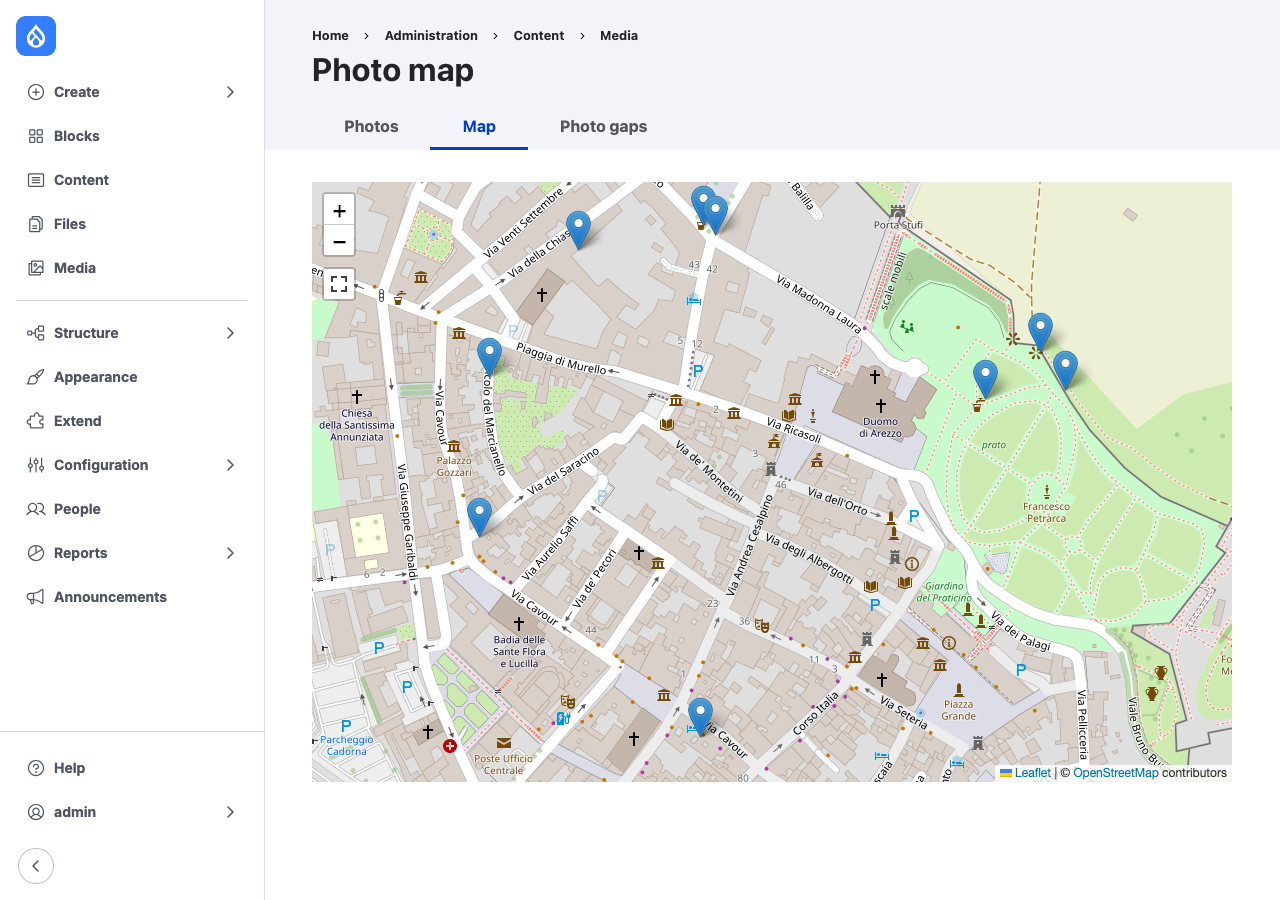
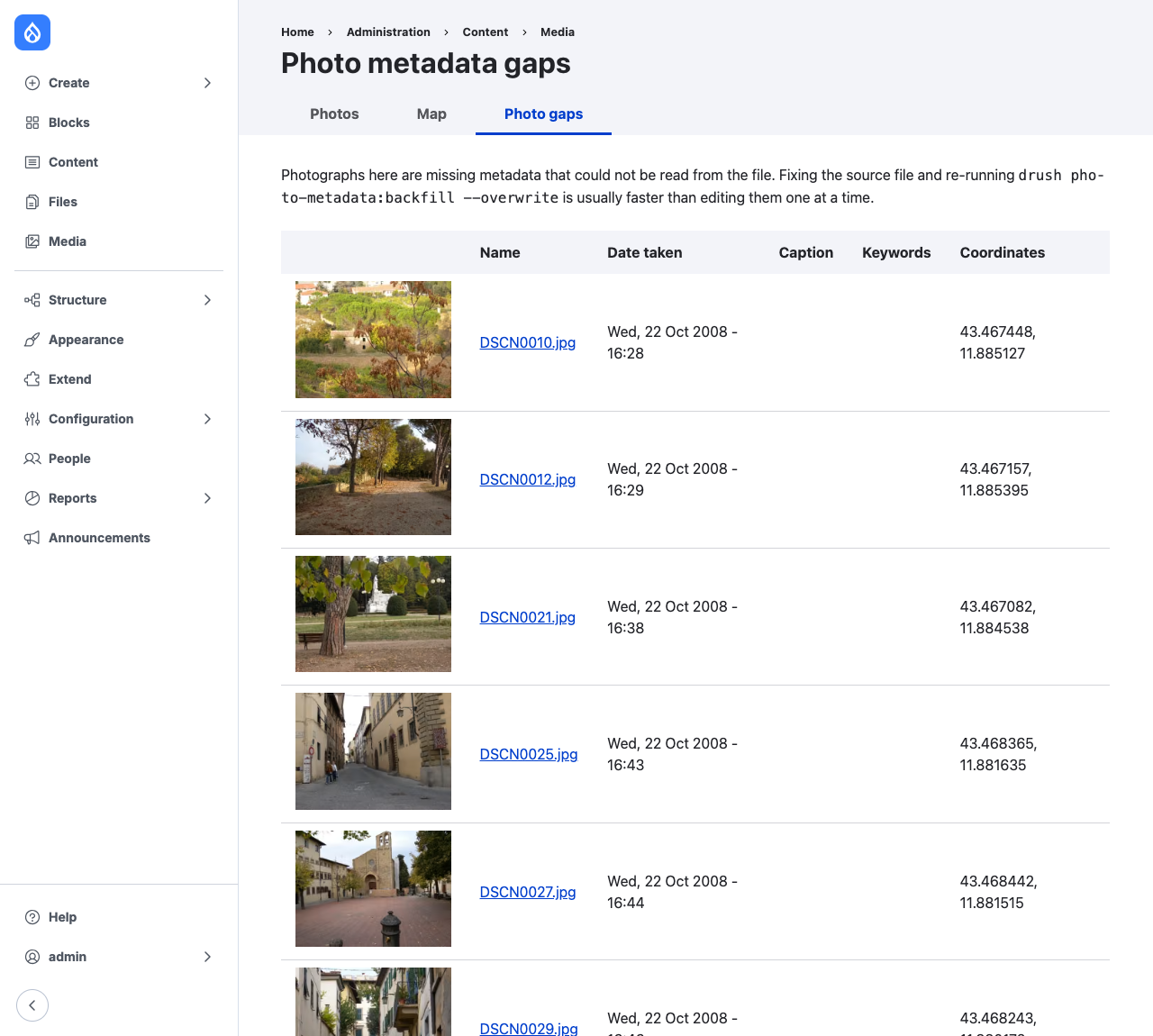
The photographs in these screenshots are sample images from the SpatiaLite project, taken in Arezzo, as distributed with the test resources of exif-py.