Configuration
Go to Structure > Menus > Available attributes
(/admin/config/menu_link_attributes/config). The page needs the
Administer menu link attributes permission.
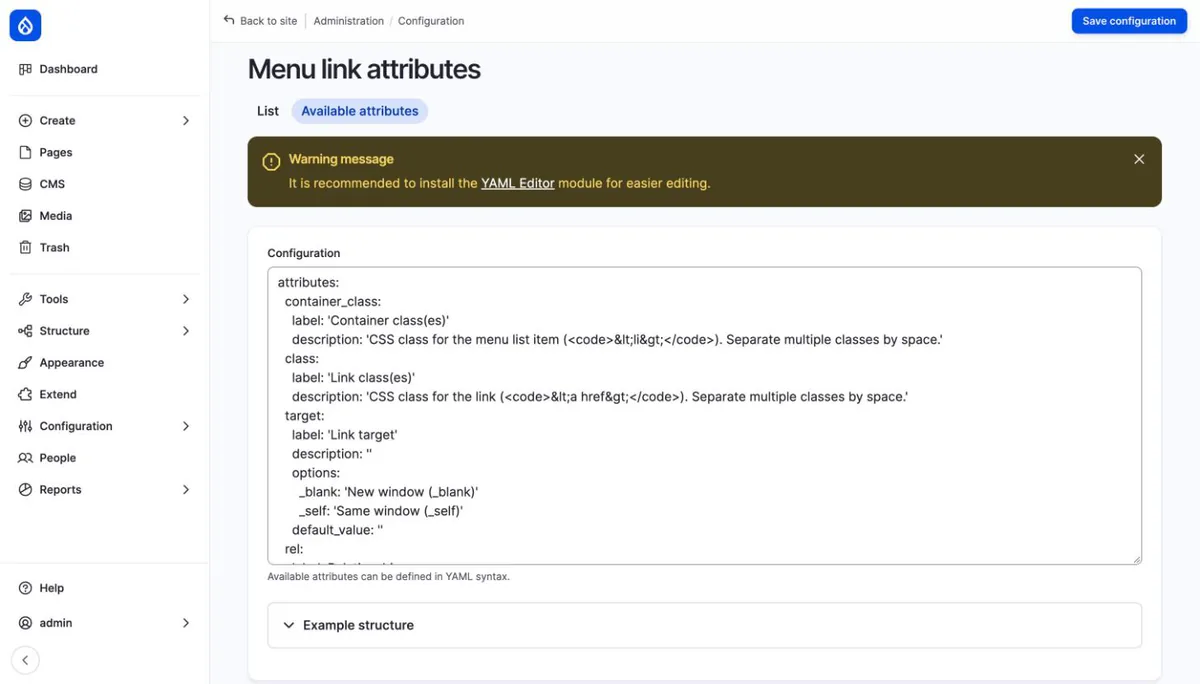
Without YAML Editor the configuration is a plain textarea, and the page shows a warning recommending the module:
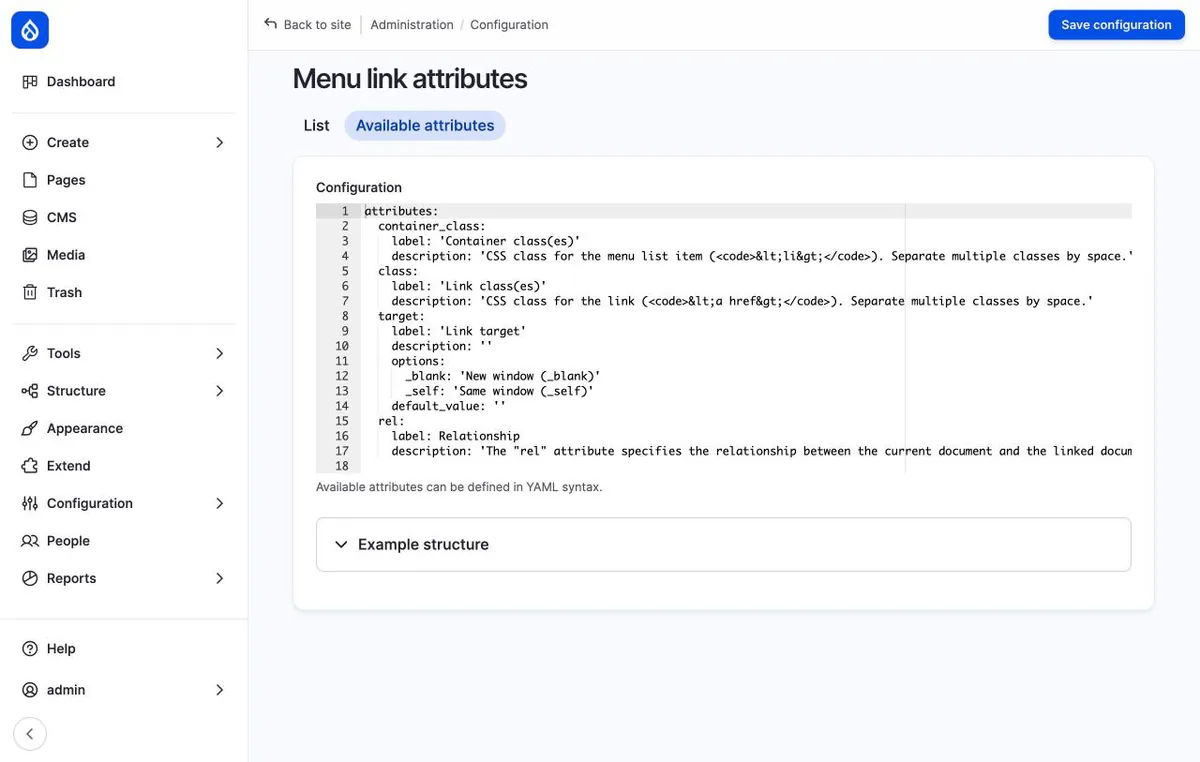
With YAML Editor enabled the textarea becomes a code editor with line numbers, syntax highlighting, and indentation help:
Attributes are defined in YAML under the attributes key. Each key is the
HTML attribute name, optionally with the container_ prefix (see
Container attributes). Every setting below
it is optional.
attributes:
  class:
    label: 'Link class(es)'
    description: 'CSS class for the link. Separate multiple classes by space.'
  target:
    label: 'Link target'
    options:
      _blank: 'New window (_blank)'
      _self: 'Same window (_self)'
    default_value: ''
  rel: {}
  data-tracking-id:
    label: 'Tracking ID'
  container_class:
    label: 'Container class(es)'
Attribute settings
| Key | Type | Description |
|---|---|---|
label |
string | Field label. Defaults to the attribute name without the container_ prefix, with the first letter uppercased and hyphens replaced by spaces: container_class becomes "Class". |
description |
string | Help text below the field. Defaults to "Enter value for <name> attribute.", with the name without the container_ prefix. |
type |
string | Form element type. Defaults to select when options is set, textfield otherwise. See Field types. |
options |
map | Allowed values, value: 'Label'. Used by select, radios, and checkboxes. |
default_value |
string | Pre-filled value when the link has no value for this attribute yet. For checkboxes, separate several values with spaces. |
container |
boolean | true puts the attribute on the <li> without the container_ prefix. See Container attributes. |
upload_location |
string | Upload directory for the managed_file type. See Field types. Not in the config schema yet, see #3365618. |
For an attribute with no settings, use an empty map, as in rel: {} above.
Allowed attribute names
Drupal core drops menu link attribute names it does not accept. The form
rejects most of those names up front. The container_ prefix is not part of
the name for this check, so its underscore is fine. The rest of the name
must:
- start with a letter and contain only letters, digits, and hyphens;
- be at most 96 characters;
- not be
style; - not start with
on(event handlers such asonclick).
Core also drops names starting with hx or data-hx (htmx
attributes). The form accepts these, but core does not render them, see
#3590638.
Underscores are not allowed. Use data-menu-color instead of
data_menu_color, and container_menu-color instead of
container_menu_color. The form suggests the hyphenated name when you enter
one with underscores. Existing names with underscores are renamed on update,
see Upgrading.
Values on output
Protocols such as javascript: are removed from attribute values. Values
of data-*, class, rel, title, alt, property, and datetime are
left as they are.
- Recent Drupal core versions filter link attributes (
<a>). Older core versions render them as entered. - The module filters container attributes (
<li>) itself, with core's attribute filter when available and an equivalent filter otherwise.