Usage
Editors use image fields as before. When they choose an image, the browser resizes it if needed, and then the upload starts.
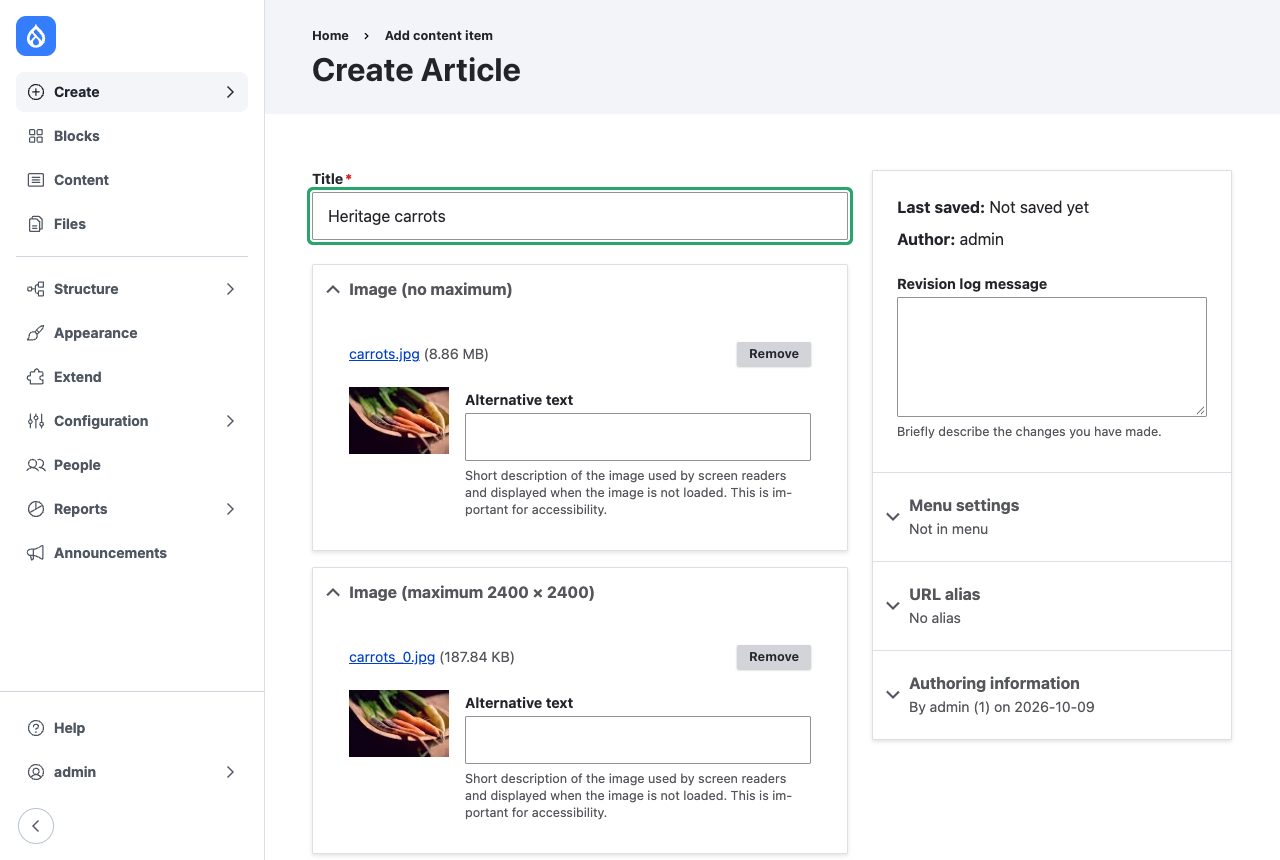
Below, the same photo was chosen in two image fields. The field without a maximum received the 8.86 MB original. The field with a maximum received a 187.84 KB copy, and the browser started that upload about a second after the file was chosen, in desktop Chrome.
What happens when a file is chosen
- The file input is disabled and a throbber with "Resizing image…" (or "Resizing 3 images…") appears after it. Screen readers announce the same text.
- Each chosen file is checked:
- JPEG, PNG and WebP images larger than the maximum width or height are scaled down to fit, keeping their aspect ratio.
- Images that already fit are left unchanged.
- Images whose resized copy would exceed 16,777,216 pixels, the largest canvas iOS Safari draws, are left unchanged, and the server resizes them.
- Other files, such as GIF images, are left unchanged. The server validates and resizes them as usual.
- A resized image keeps its file name and type. JPEG and WebP images are encoded at quality 0.8. PNG images stay lossless.
- When every chosen file is processed, the throbber is removed and Drupal's normal AJAX upload runs, once. With a multiple-value field, the files are uploaded together in the order they were chosen.
- The server applies the field's validation, including file size, extensions and dimensions.
If the browser cannot decode or resize an image, the original file is uploaded and the server handles it.
Image metadata
A resized image is redrawn on a canvas, so its EXIF metadata, such as camera details and GPS location, is not kept. The EXIF orientation is applied to the pixels first, so the image is not rotated. Images that are not resized keep their metadata.
Without JavaScript
If JavaScript is off, the image field's Upload button sends the original file, and the server resizes it as usual.