Usage
Open any node, media item, taxonomy term or content block and click the
Field History tab. The pages below are all under that tab. The examples
use nodes; other entity types use the same pages beside their Revisions
page, such as /taxonomy/term/{tid}/field_history.
Overview
/node/{nid}/field_history
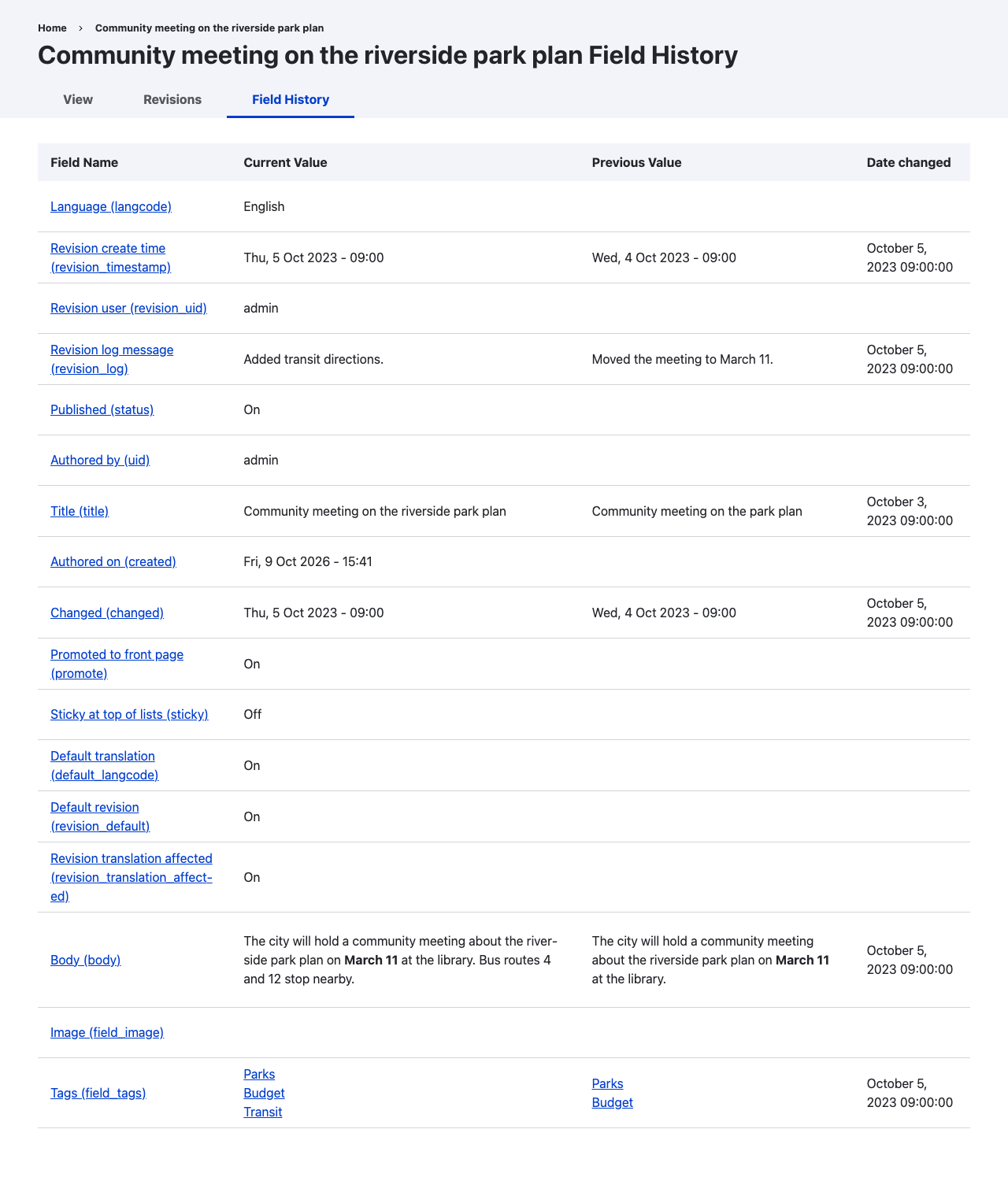
Each revisionable field on the entity is listed with:
- Field Name: the label and machine name, linked to the field's timeline.
- Current Value: the field as rendered on the entity now.
- Previous Value: the value before the most recent change.
- Date changed: when the most recent change was saved, in your time zone.
Previous value and date changed are empty for fields that have changed at most once, for example fields set when the entity was created and never edited.
Base fields such as title, status, author and the revision log are included when they are revisionable.
Per-field timeline
/node/{nid}/field_history/{field_name}
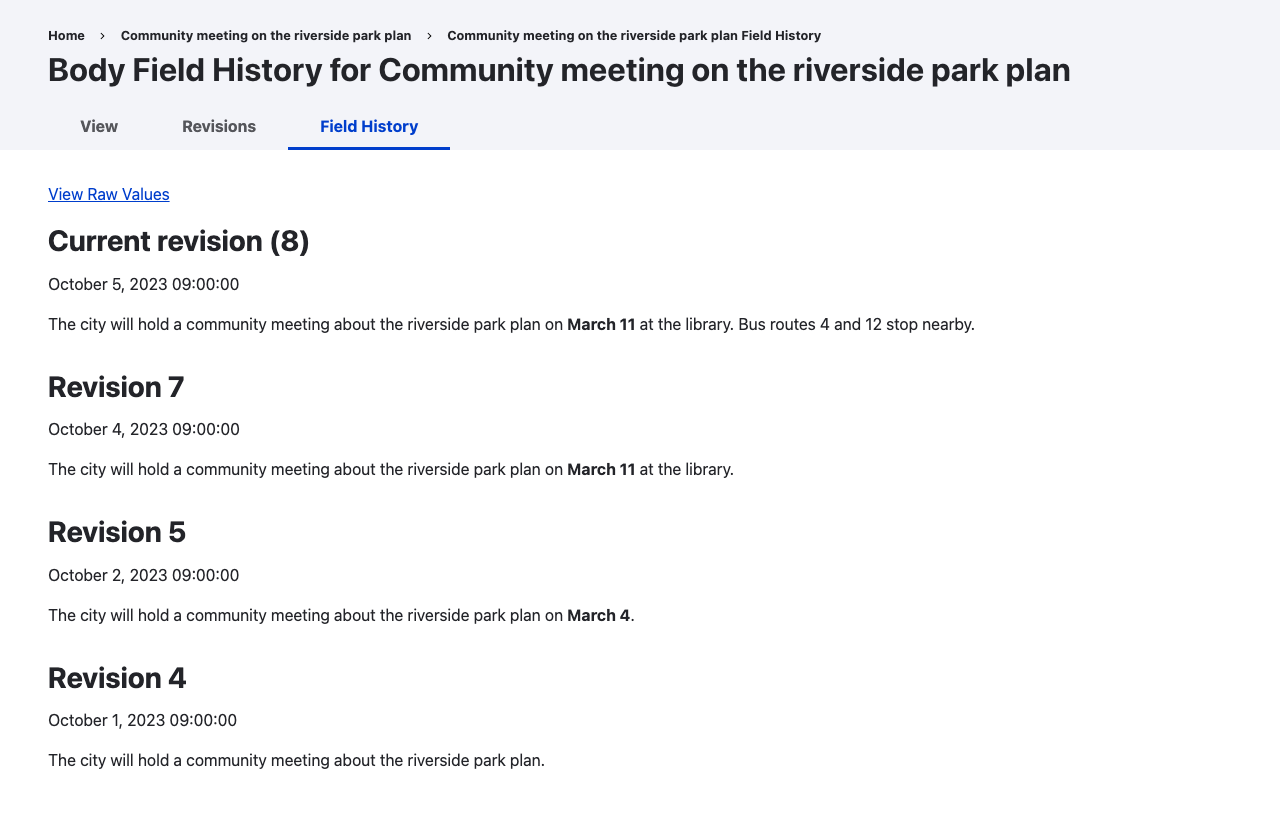
Each revision in which the field changed is listed, newest first, with its revision ID, the time it was saved and the field rendered as it was in that revision. Revisions that did not change the field are skipped. The entity's current revision is labelled Current revision.
A revision counts as a change when the field's stored values differ from the revision before it. Emptying a field counts, and so does reordering the values of a multi-value field.
The timeline shows 50 changes per page.
Raw values
/node/{nid}/field_history/{field_name}/raw
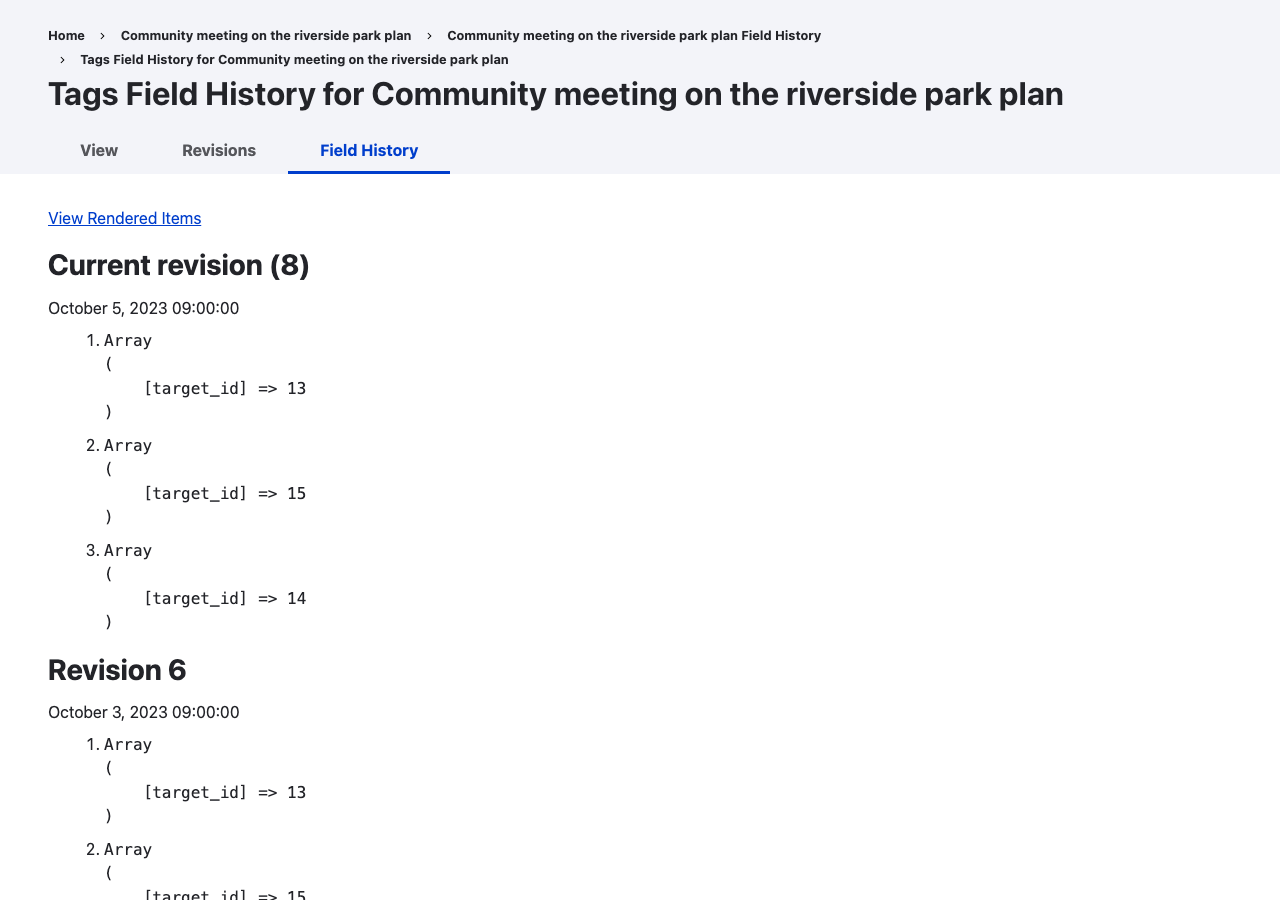
Use View Raw Values on a timeline to see each revision's stored item values instead of the rendered field, and View Rendered Items to go back. This shows, for example, the target IDs of a reference field, or the text and format of a formatted text field. Markup in stored values is shown as text.
Translations
On a translated entity, the pages show the history of the translation you are viewing. Revisions in which that translation did not exist are skipped.