Field History
See when each field of a node, media item or term changed, and what it changed from.
For Drupal 10.3+, 11 and 12 · No configuration
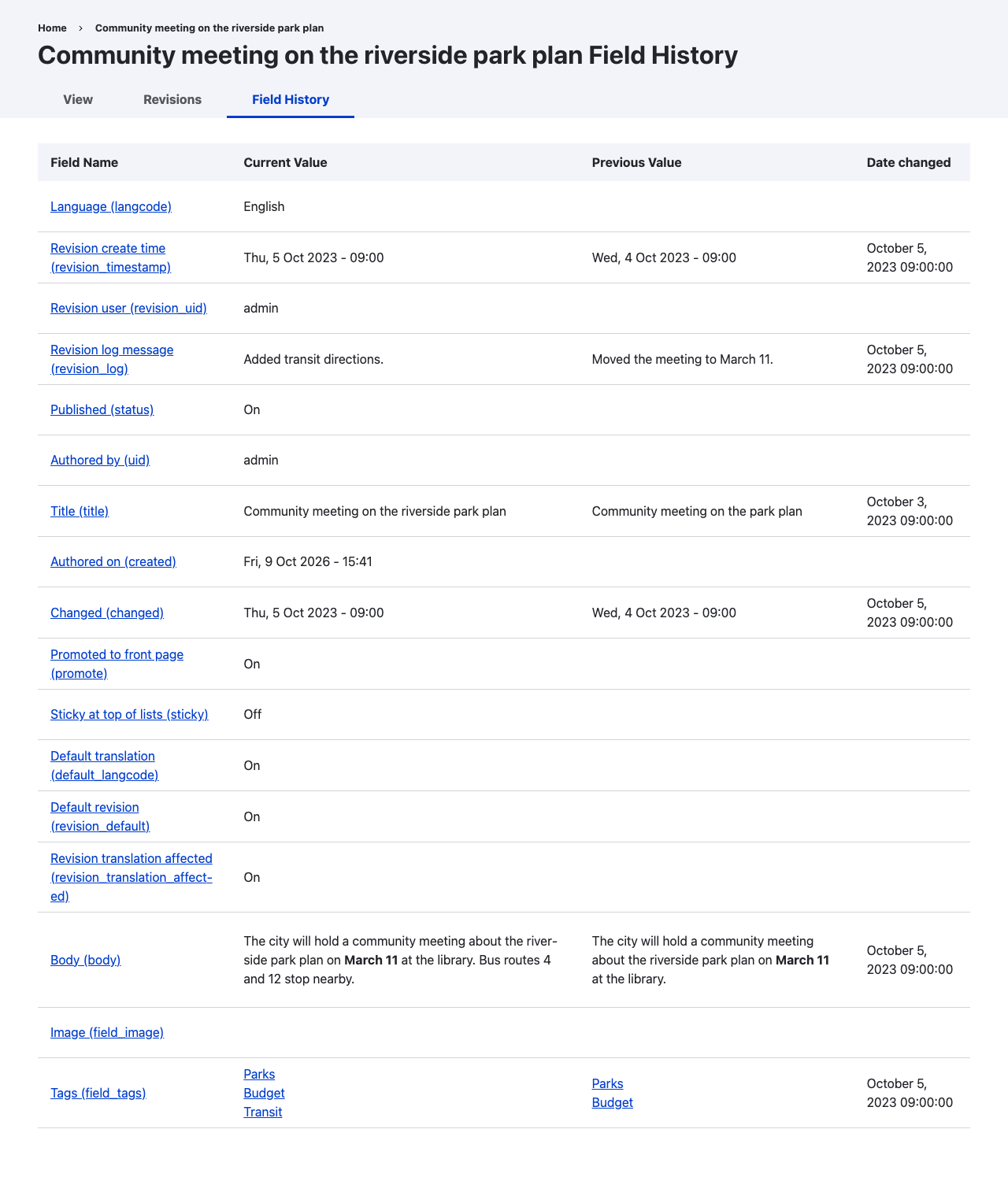
What it does
Core's revision UI compares two revisions at a time. Field History reads every revision of an entity and lists the changes to one field at a time, skipping revisions in which that field did not change.
It adds a Field History tab beside the Revisions tab of nodes, media, taxonomy terms and content blocks, with three views:
- Overview: every revisionable field with its current value, its previous value and the date it last changed.
- Per-field timeline: each revision in which one field changed, newest first, with the rendered value at that revision.
- Raw values: the stored field item values for the same revisions, for debugging references, formatted text and multi-value fields.
History comes from the revisions Drupal already stores. The module adds no settings; its only table is a cache of which revisions changed each field.
Who it is for
- Editors and site owners answering "when did this change, and who changed it?" for one field without stepping through revision diffs.
- Developers checking what a migration, import or integration wrote to a field over time.
Access follows core's revision permissions and field access. See Configuration.
Requirements
- Drupal 10.3 or later, Drupal 11 or Drupal 12.
- Content types that create new revisions. A field only has a history while revisions are being saved.
To install the module, see Installation.