Screenshots
Drupal Pages provides a shared theme while each project keeps its own content and logo. These captures show the home page styling originally developed for Site Agent and the shared theme used in this documentation.
Select an image to open the full-size capture.
Home page in light mode
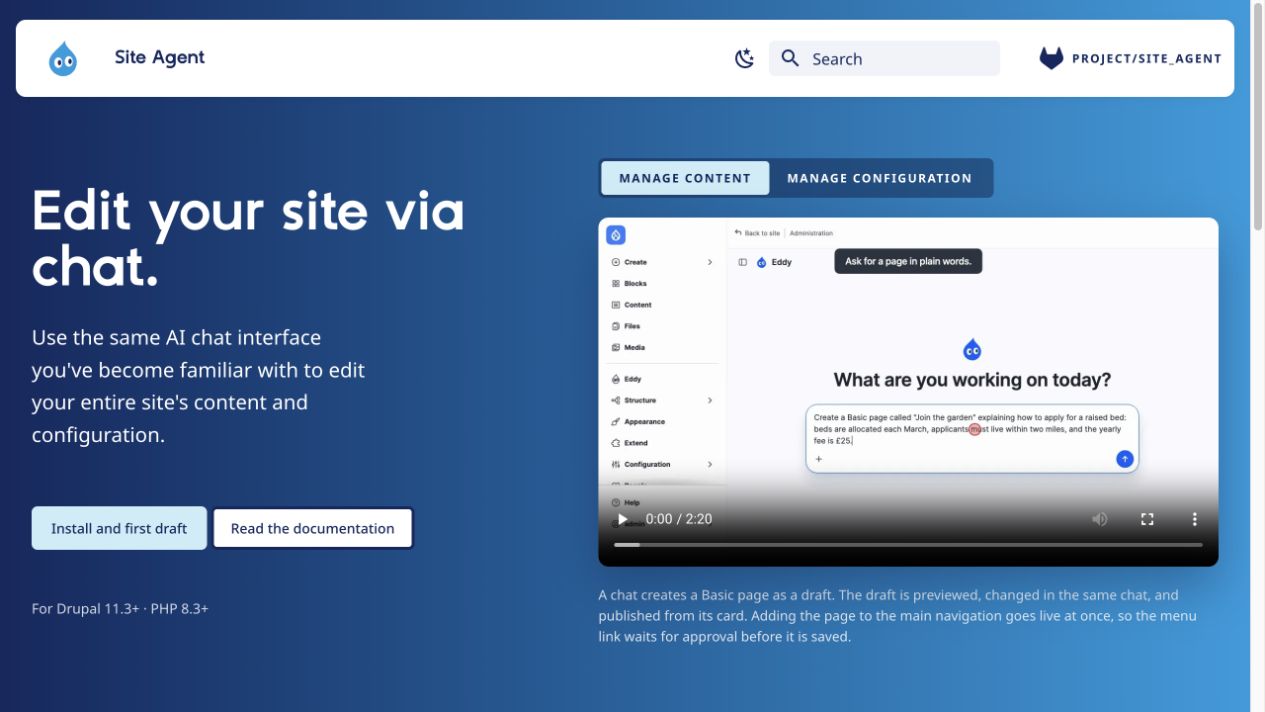
Site Agent's full-width home page combines project content with the shared hero, buttons, typography, and video switcher.
Home page in dark mode
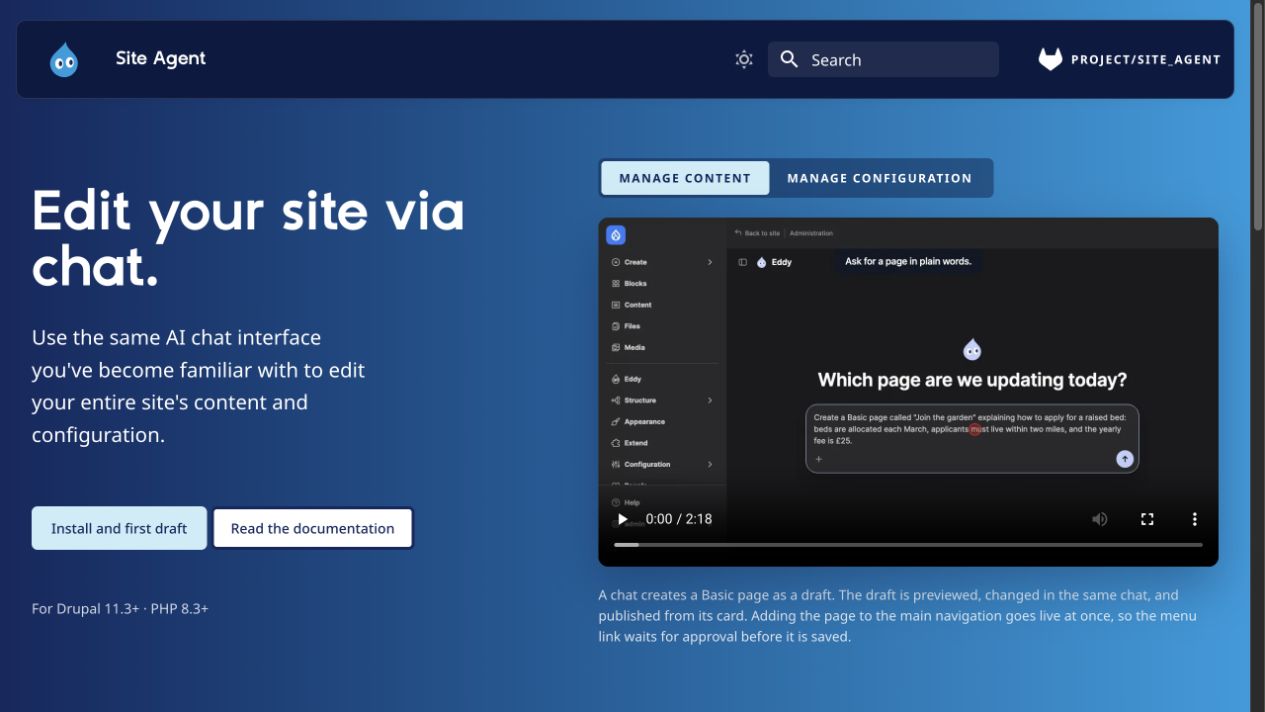
The palette toggle switches the header and page colors. The video shown here is Site Agent's own dark-mode example.
Mobile home page
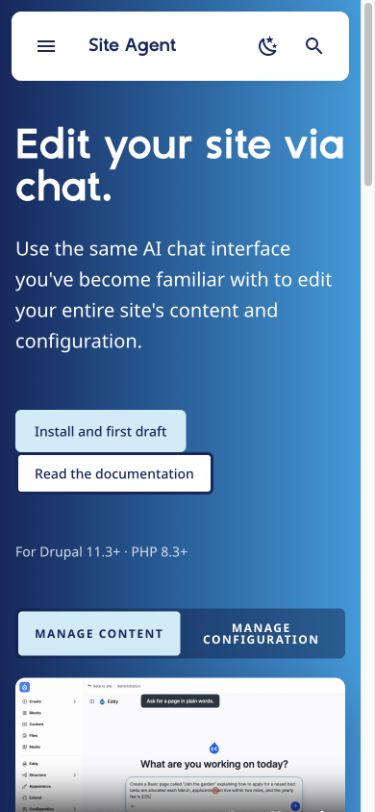
At a 390-pixel viewport, the header uses a menu and search control, and the home page content stacks into one column.
Documentation layout
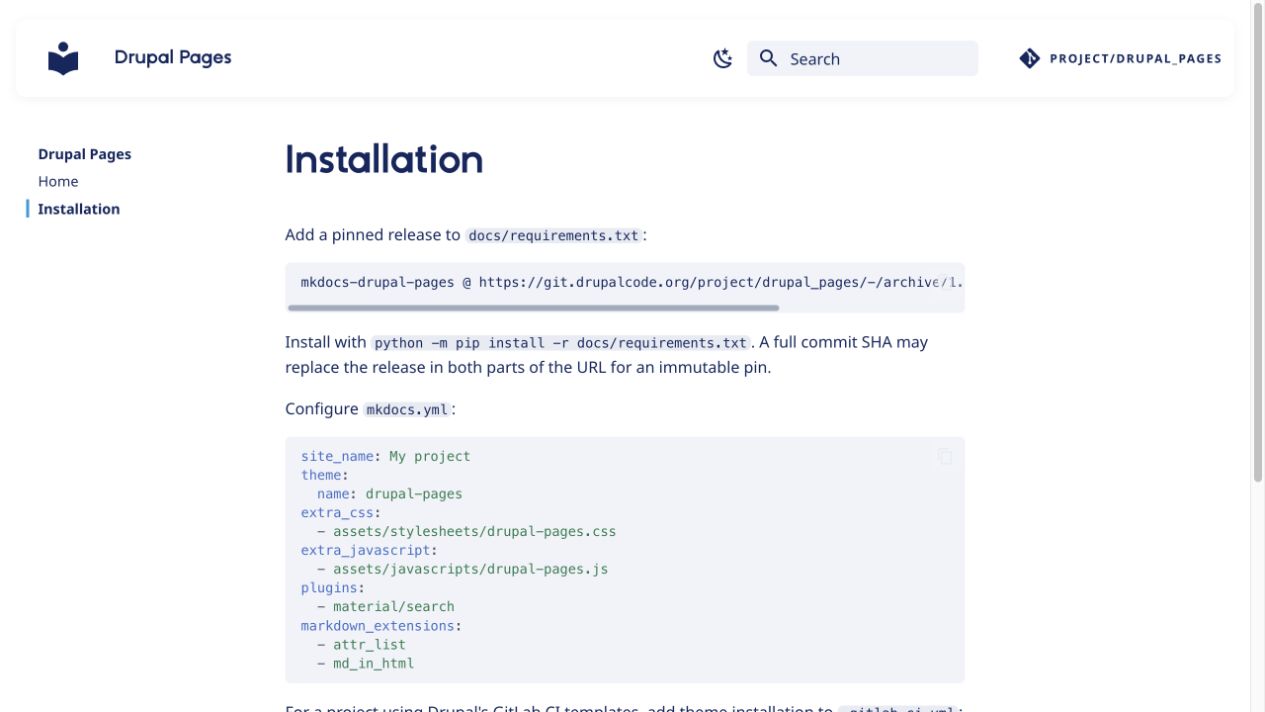
The installation guide uses the shared fonts, colors, sidebar navigation, and Material for MkDocs code blocks.