Flexbox widget#
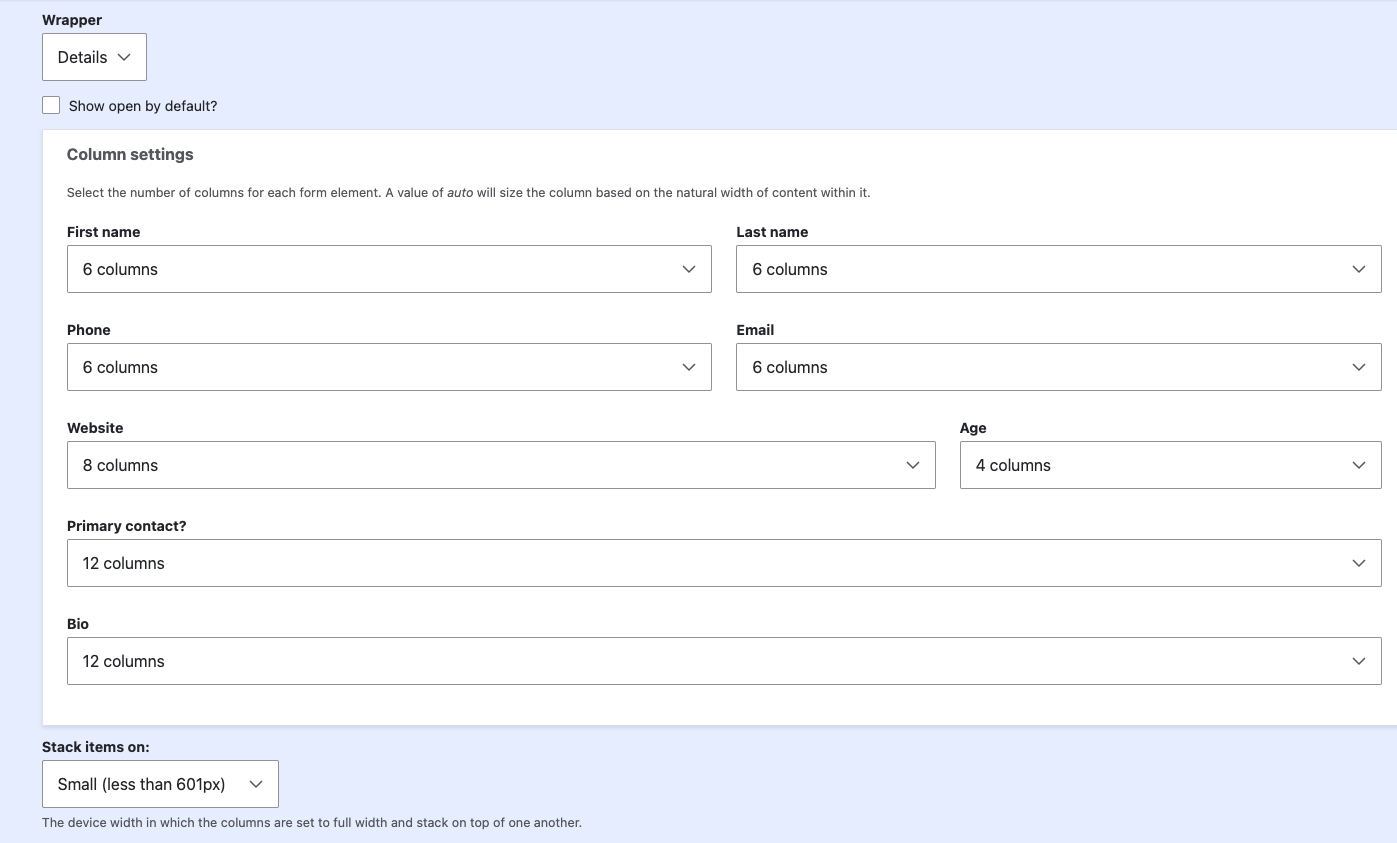
The Flexbox widget (custom_flex) arranges subfields side-by-side using CSS
Flexbox for a more compact, responsive layout. Each subfield can be given a
specific column width, and you can optionally define a breakpoint at which the
layout automatically switches back to stacked (single-column) mode on smaller
screens.
Settings#
These settings control the outer container, summary label behavior and individual subfield widgets.
| Setting | Label | Description | Default |
|---|---|---|---|
| wrapper | Wrapper | The wrapping element (div, fieldset, or details) |
details |
| label_value | Label value | Optional subfield value to serve as label in details summary |
|
| label_limit | Label limit | Maximum number of characters to display in the label for details summary |
60 |
| label_prefix | Label prefix | Prefix shown before the label in the details summary when label_value is empty |
Item |
| open | Show open by default | Displays details elements as expanded by default |
TRUE |
| auto_collapse | Auto-collapse | Automatically collapses other open details elements when a new one is selected |
FALSE |
| fields | Field settings | Widget settings for each individual subfield | Default widget plugin + settings |
Field settings (per subfield)
The Custom Field module includes a powerful plugin system that lets you fully customize each subfield.
For every subfield you can:
- Choose its own widget (just like regular Drupal fields)
- Override the Label
- Configure all widget-specific settings
These per-subfield options are managed under the Field settings section for each field widget configuration.
Flexbox settings#
- The Columns setting is based on a 12-column grid. Each subfield can be assigned a value to control its width within the row.
- The Breakpoint setting allows you to choose a screen size (
smallormedium) at which the flex layout automatically falls back to a single-column stacked layout on smaller devices.
| Setting | Label | Description |
|---|---|---|
| columns | Columns | Column width settings for each subfield |
| breakpoint | Breakpoint | Optional responsive breakpoint where the layout falls back to stacked mode |