Configuration
Register a path
A module opts a path into the cache by shipping a MODULE.response_cache.yml
file in its root directory. Each top-level key is a mapping ID.
products:
  path_prefix: /api/products
  query_allowlist:
    - category
    - page

categories:
  path_prefix: /api/categories
| Key | Required | Meaning |
|---|---|---|
path_prefix |
yes | The path to cache, matched on segment boundaries. /api/products covers /api/products and /api/products/shoes, but never /api/products2. |
query_allowlist |
no | Query parameters that take part in the cache key. A request carrying any parameter not listed is served live and not cached. Without the key, only requests with no query string are cached. |
max_files |
no | How many cache files the mapping may hold, 10000 by default. At the limit, new responses are served live until cron removes spent files; replacing an existing file is always allowed. |
Rules the module applies when it reads the file:
- Mapping IDs are namespaced by the providing module, so the key of the first
mapping above is
my_module.products. Two modules may both defineproducts. - When several mappings match a path, the longest prefix wins.
- Two mappings may not claim the same prefix. The second is ignored and an error is logged.
- A prefix may not be
/, may not contain a dotfile or traversal segment, and may not overlap the public files directory. Such a mapping is ignored and an error is logged. - Query parameter names may contain letters, digits,
_,.and-. Other entries are dropped with an error. max_filesmust be a positive integer. Anything else is replaced by the default with an error.- The allowlist bounds which parameters take part in the key, not their
values, so
max_filesis what bounds disk use. The count is approximate: concurrent writes can pass it slightly, and cron recounts from disk. - A
uri_prefixkey is ignored with a warning. See Upgrading.
The file is read when a module is installed or uninstalled and when caches are
rebuilt. After editing it, run drush cr.
path_prefix is compared with the path as routing sees it: decoded, with a
language prefix removed and an alias resolved to its system path. So
/fr/api/products and an alias of /api/products both match a mapping for
/api/products, and each language gets its own file.
Turn mappings on and off
Discovered mappings are listed at Administration > Configuration >
Development > Response Filesystem Cache
(/admin/config/development/response-filesystem-cache). The form requires the
Administer site configuration permission.
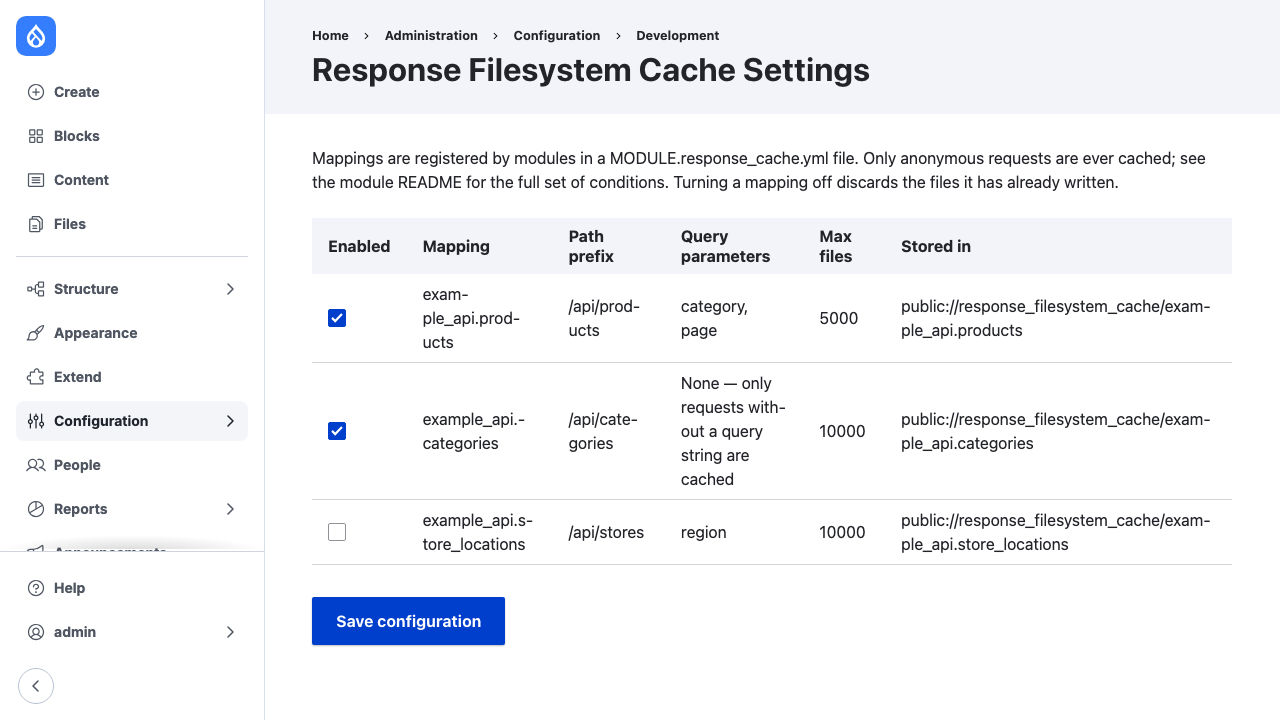
A mapping is enabled unless it is turned off here. Turning one off stops it caching and deletes the files it has written.
The setting is stored in response_filesystem_cache.settings as a list of
disabled mapping keys, so it can be exported and deployed with configuration:
disabled_mappings:
  - my_module.categories
Where files are written
Beneath public://response_filesystem_cache/MODULE.ID/LANGCODE/, and nowhere
else. The location is derived from the mapping and cannot be configured, so a
cache flush can only delete files the module wrote.
File names are NAME.DIGEST.EXT:
NAMEis the path below the prefix, or_indexfor the prefix itself.DIGESTis 32 hexadecimal characters of an HMAC-SHA256 of the full cache key, keyed with the site's hash salt. It keeps query, host, scheme and language variants apart, and it cannot be computed without the salt.EXTcomes from the response's content type, such asjsonforapplication/json. A content type that maps to an executable extension, such as PHP, is stored asbin.