Getting started
Bootstrap Cloud is a
sub-theme of Bootstrap5, designed
for the Cloud module. This page
describes the 8.x development line.
Requirements
- Drupal core:
^11.4 || ^12. - Base theme:
drupal/bootstrap5:^5. Composer installs this dependency. - The Cloud module is not a required dependency of the theme.
Install
- From the directory containing the Drupal site's
composer.json, run:
bash
   composer require 'drupal/bootstrap_cloud:8.x-dev'
- Open Appearance at
/admin/appearance. - Find Bootstrap for Cloud and choose Install and set as default. If it is already installed, choose Set as default.
- Open its Settings page at
/admin/appearance/settings/bootstrap_cloud.
Choose a visual variant
In the Bootstrap for Cloud settings section, use the Theme selector to choose:

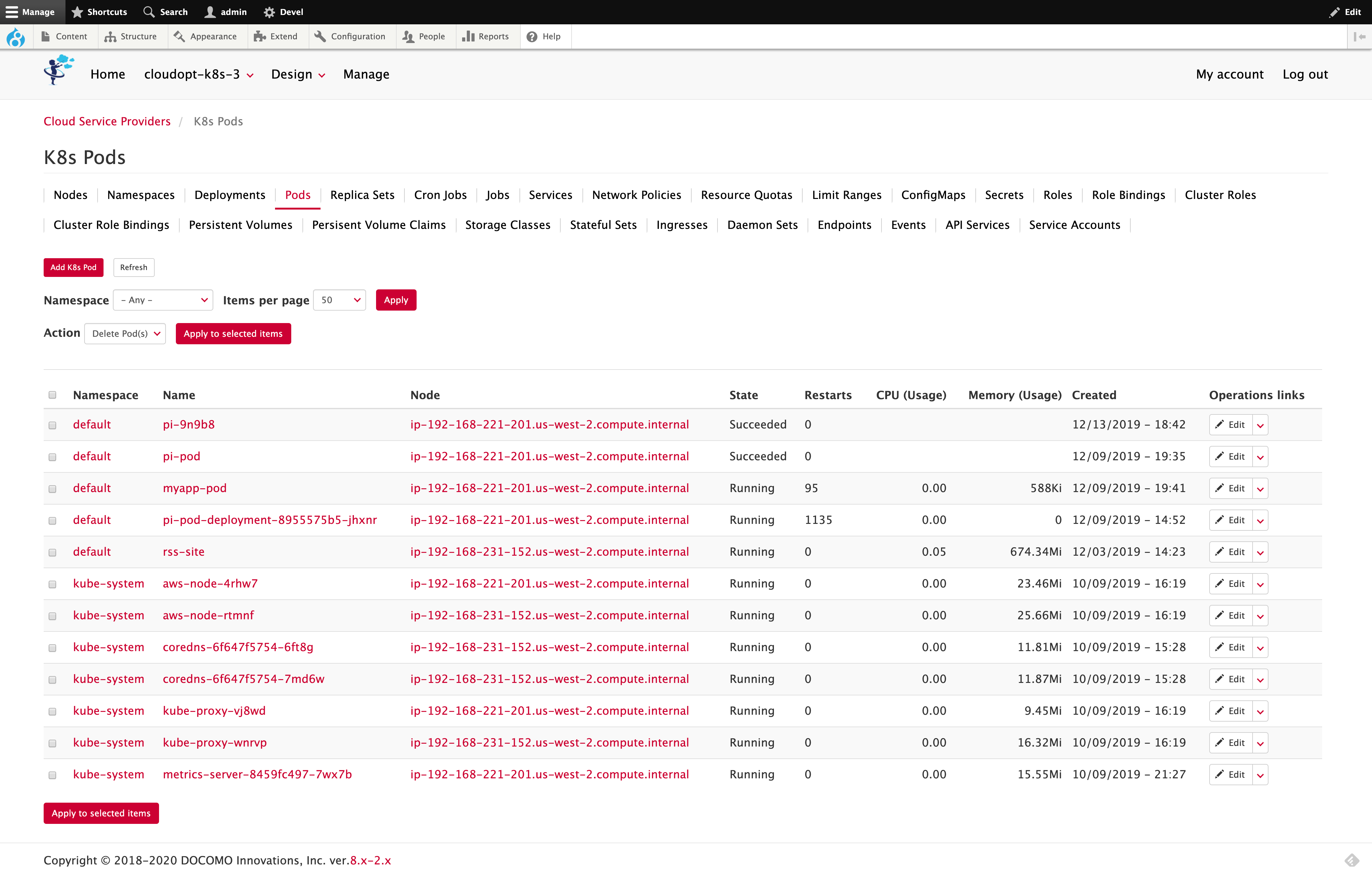
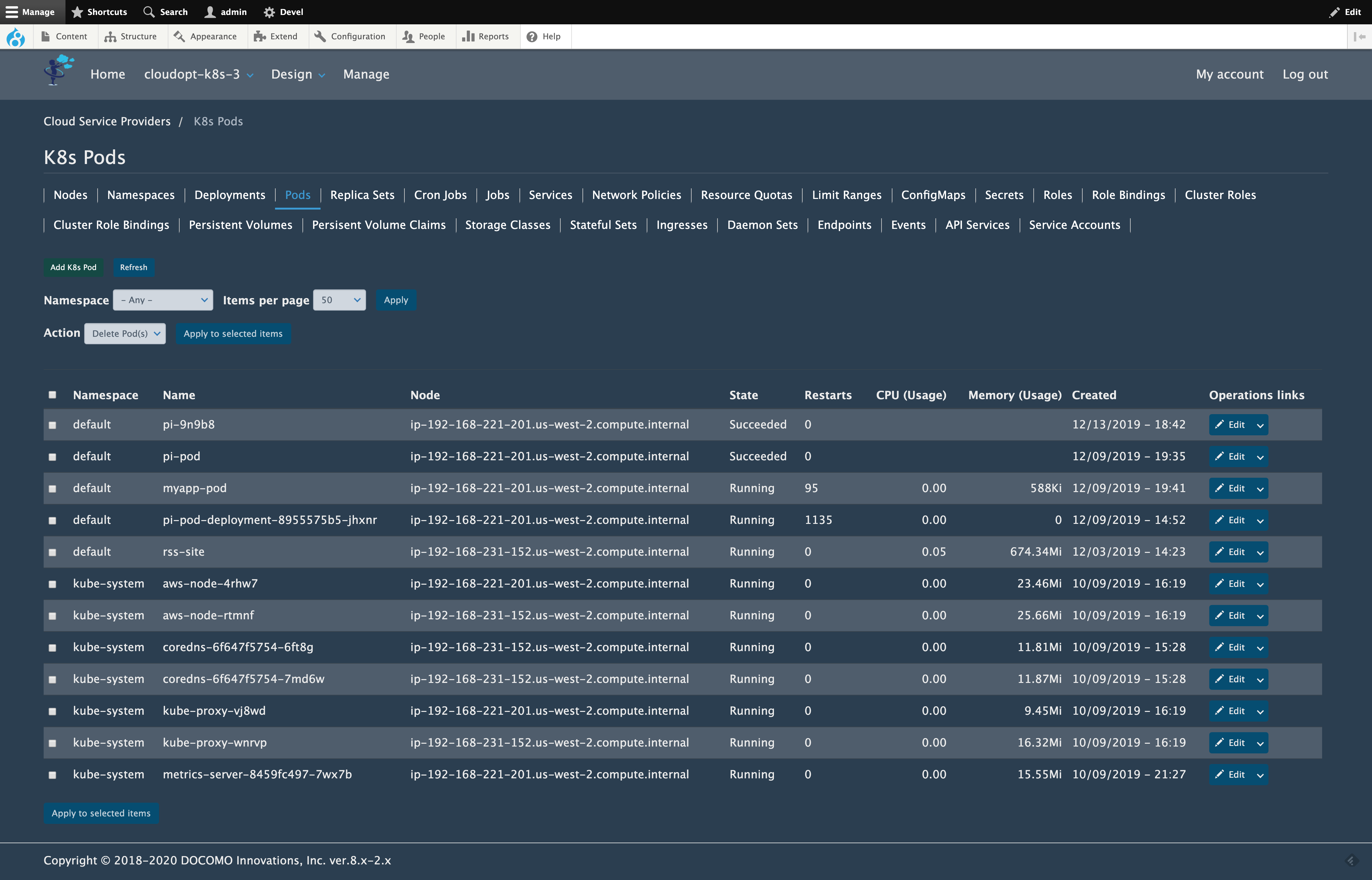
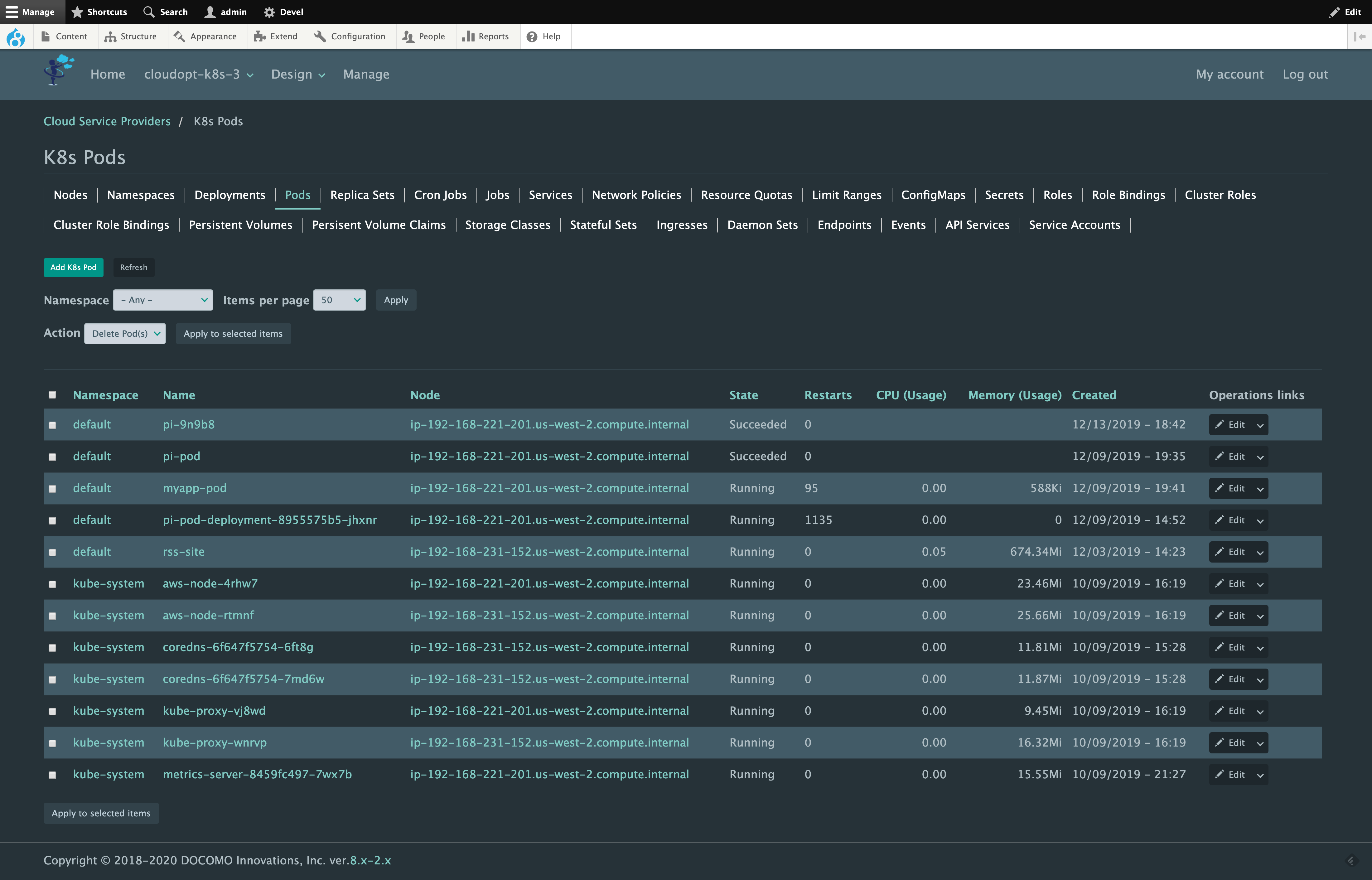


Dark is the default.
Pixie Dark is a visual variant included in Bootstrap Cloud. It is distinct from the separate Pixie Dark theme project.
Adjust typography and line spacing
- Font Family: Lucida Grande, Lato, HiraMaruPro-W4, Meiryo, Trebuchet, Trebuchet MS, Verdana, Arial, or sans-serif. The default is Lucida Grande; available fonts and fallbacks depend on the visitor's system and loaded fonts.
- Font Size: Extra Small, Small, Medium, Large, or Extra Large. The default is Medium.
- Line Spacing: Compact, Tight, Cozy, Normal, Comfortable, or Spacious. This setting controls text line spacing and table row height. The default is Normal.
Save the configuration and check both wide and narrow layouts with the site's actual content.
Navigation and block placement
Use Structure > Block layout at /admin/structure/block to place the
site's blocks in Bootstrap Cloud's regions. These include Navigation,
Navigation (Collapsible), Top Bar, Highlighted, Help, Content, Primary,
Secondary, and Footer.
The theme uses Bootstrap 5 navigation behavior and includes responsive resizing fixes. In the Pixie Dark variant, the fixed navigation bar has an opaque background so scrolling content is hidden behind it. Check menu wrapping and the collapsed menu when changing logo sizes, menu labels, or custom styles.
AdSense banners
When an AdSense block is present, all color variants center it by default. An
explicit left, center, or right alignment selected in the AdSense block settings takes
precedence. On the login page, the theme also adds 2rem of space above the
advertisement to separate it from the login controls.
The theme does not install or enable AdSense. Publisher IDs, ad slots, and block placement remain site configuration. Pages without an AdSense block are unchanged.
Live examples
-
i Services uses Bootstrap Cloud in production.
-
Pixie Dark variants in production: These sites use the related Pixie Dark theme project.
- Pixie Works
- PixieFlow
- PixieCore
- Twinkle Networks
Views mini-pagers
For a View configured to use a mini-pager, the theme displays the previous and next controls horizontally without list bullets:
- First page: next only.
- Intermediate pages: previous and next.
- Last page: previous only.
The View determines whether more pages exist. These controls do not add a full numbered pager.
JavaScript and customization
Bootstrap Cloud's JavaScript uses vanilla JavaScript and Drupal behaviors; the theme no longer declares a jQuery dependency. Drupal core features, other modules, or other themes may still load jQuery. Removing the dependency from Bootstrap Cloud does not remove jQuery from the entire site.
Keep site-specific customizations in a custom sub-theme or a separately maintained library. Avoid editing contributed theme files directly, because Composer updates replace them. Use Bootstrap 5 markup and APIs when extending the theme.
Update an existing installation
- Back up the database, uploaded files, code, and configuration. Test the update on a non-production copy first.
- Verify the Drupal core and Bootstrap5 requirements above. Moving from an older Bootstrap Cloud major version changes the required base-theme version; review custom Twig templates, CSS, and JavaScript.
- To move the site's Composer constraint to the development line, run:
bash
   composer require 'drupal/bootstrap_cloud:8.x-dev' --with-all-dependencies
Review the resulting dependency changes before deployment.
4. Rebuild Drupal caches. If Drush is installed, run drush cr.
5. Verify navigation while resizing and scrolling, each variant in use, forms,
Views mini-pagers, and any site-specific overrides.
Troubleshooting and support
If old styling remains after an update, rebuild Drupal caches and reload the browser. Check that the intended variant is saved and that custom CSS or an older sub-theme is not overriding the new styles.
Report reproducible problems in the Bootstrap Cloud issue queue. Include the theme and Drupal versions, selected variant, browser, viewport size, reproduction steps, and screenshots without private data. See the release notes for version-specific changes.